sendbunnyPay once. Send forever.

Stop paying per contact
Own email on your AWS for $99

One-click deploy. Pay once. Send forever on SES. About $0.10 per 1,000. $0 when idle.

  • No per-contact bill.
  • One-click deploy on AWS.
  • $0 when you don’t send.

One-click deploy into your AWS. Pay once. Send forever.

$0.10
per 1,000 emails
$0
monthly platform fee
~10 min
click to live
100%
in your AWS account

The honest comparison

Same emails. Very different bills.

Drag the slider to your monthly send. The chart uses published prices from Mailchimp, Resend, Mailgun, and Amazon SES.

5,000
Side projectGrowing business100M+ a month
Monthly bill

About $234 a year stays with you.

Compared with Mailchimp at the same monthly send.

Published pricing as of July 2026. sendbunny is raw Amazon SES at $0.10 per 1,000 emails, billed directly by AWS with no sendbunny markup. Resend and Mailgun price by emails sent and are free under 3,000 a month; Mailgun adds metered overage above its plan limits. Mailchimp bills by contacts, shown here at the smallest plan able to send that volume under its 12x monthly limit, so real-world Mailchimp cost is usually higher. Above each provider's published tiers (roughly 1.2 to 2.5 million emails a month) pricing becomes a custom enterprise quote, while sendbunny stays at the flat SES rate. Figures exclude add-ons like dedicated IPs.

How it works

Three clicks and you own the email platform.

No terminal, no YAML, no AWS expertise. If you can click a button, you can do this. Watch the whole thing:

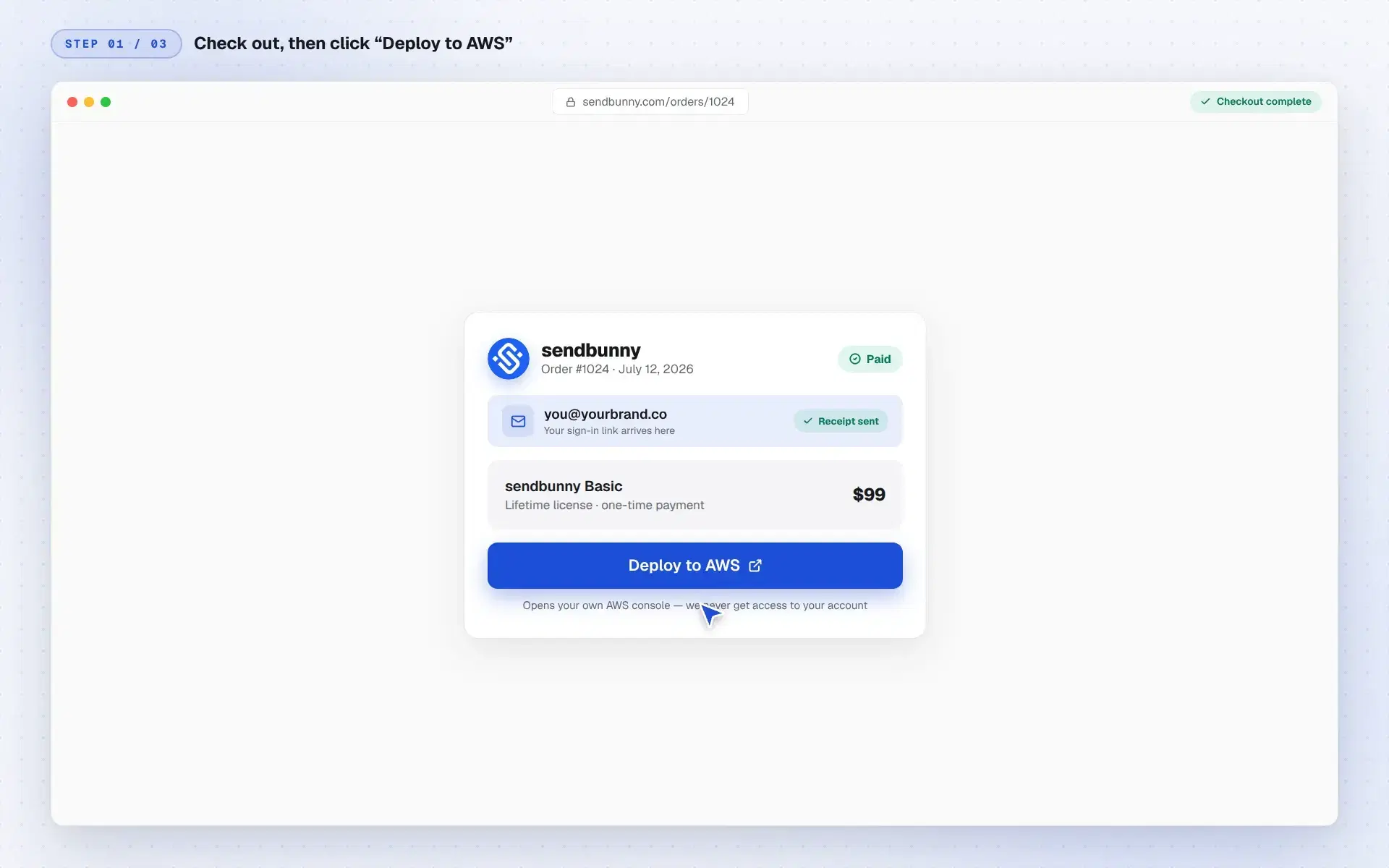
  1. The sendbunny order page with a paid order, the buyer's email on file, and a Deploy to AWS button
    1Click “Deploy to AWS”Check out with your email. Your order page then shows one button that opens your own AWS console, everything pre-filled.
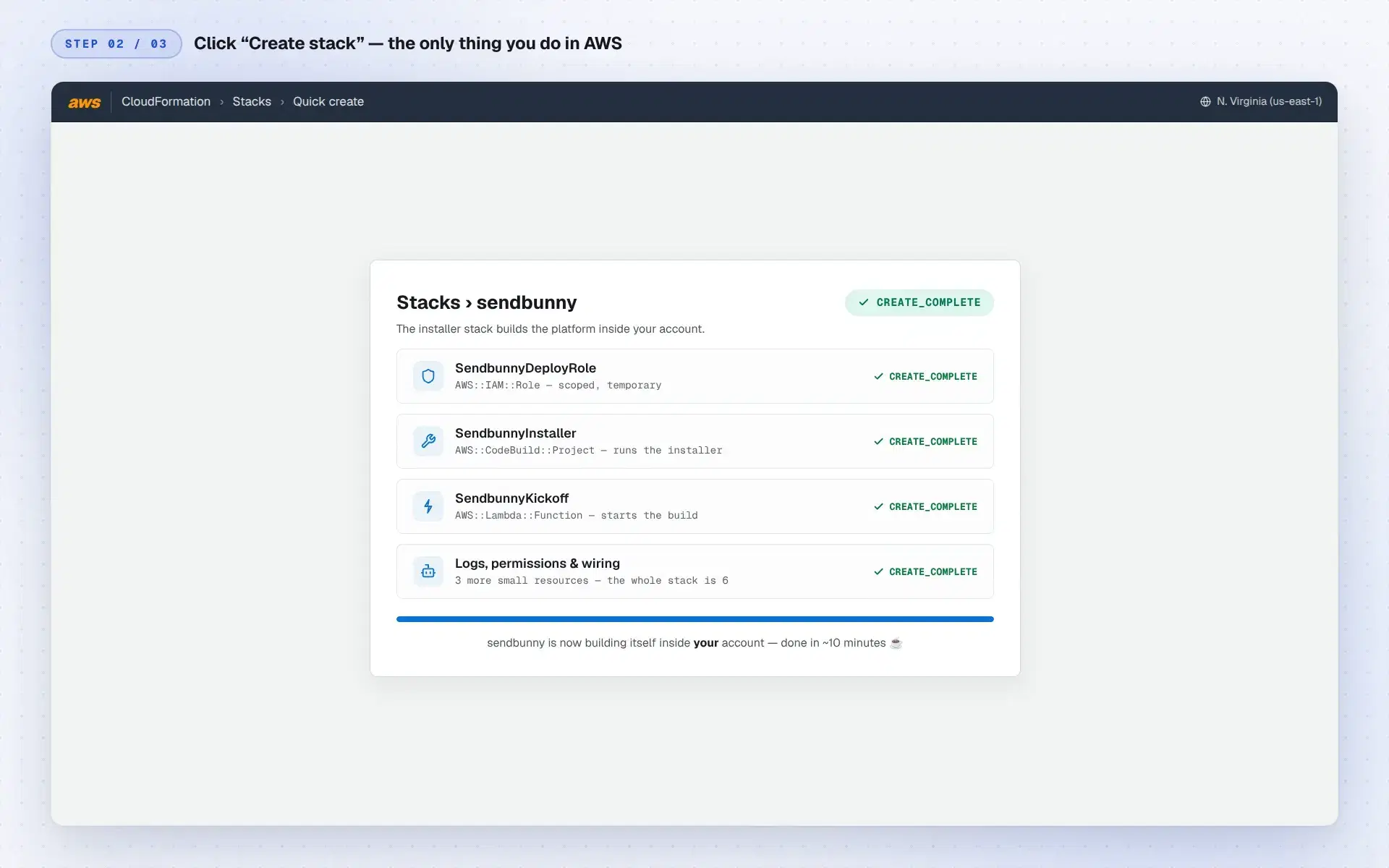
  2. The AWS CloudFormation console showing the sendbunny stack reaching CREATE_COMPLETE
    2Click “Create stack”The only thing you do in AWS. A tiny, readable installer stack of six resources builds the platform inside your account in about ten minutes.
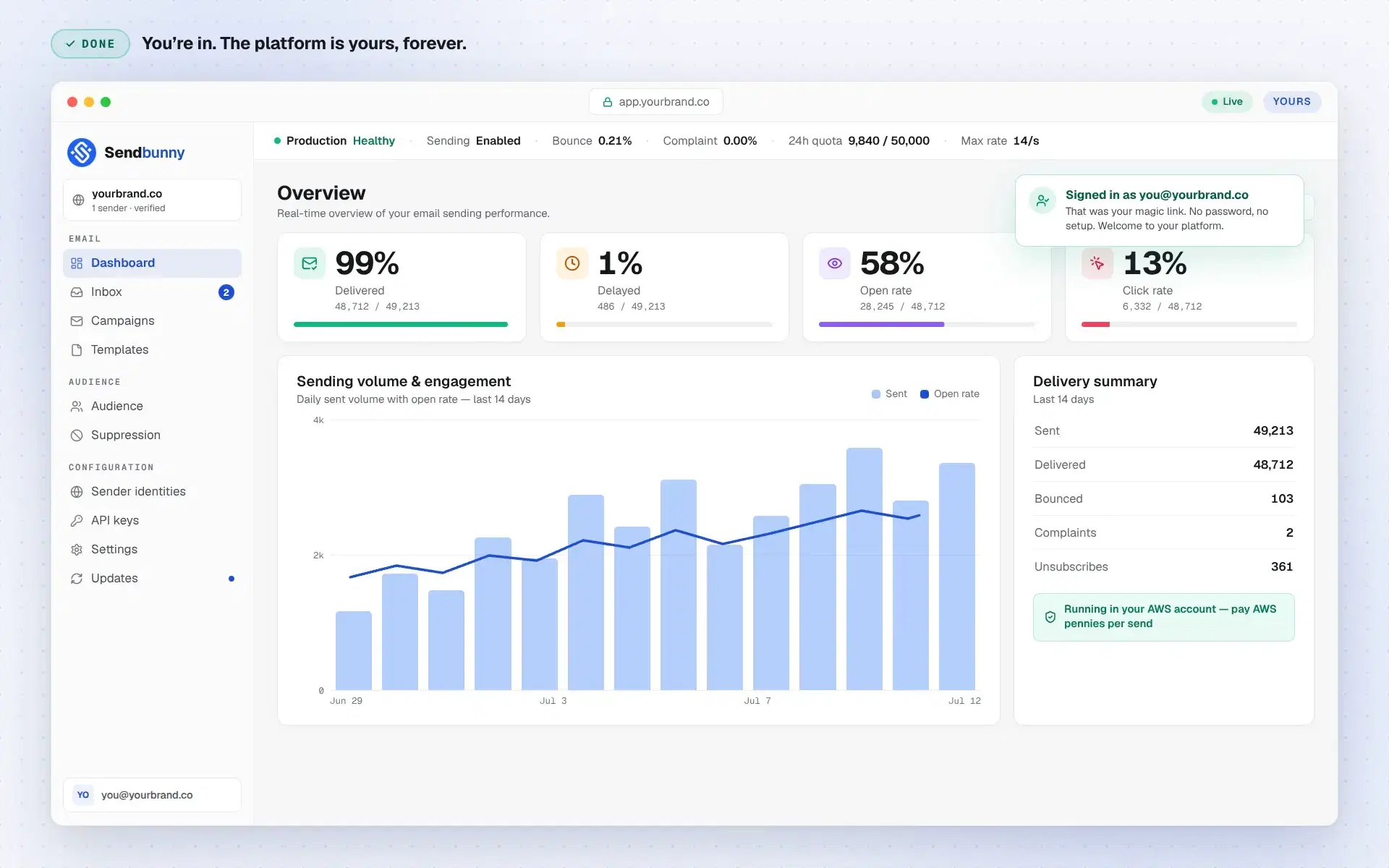
  3. The sendbunny dashboard live at the customer's own domain, signed in as the checkout email with delivery stats
    3Open your emailWe send a magic sign-in link to the email you used at checkout. One click opens your dashboard at your own URL, already signed in. It's yours, forever.

The installer stack is six readable CloudFormation resources. Audit it before you click. Your credentials never leave your account.

Why own instead of rent

Own your email. Don't rent it.

Three risks you carry on other email platforms, and what changes when you own yours.

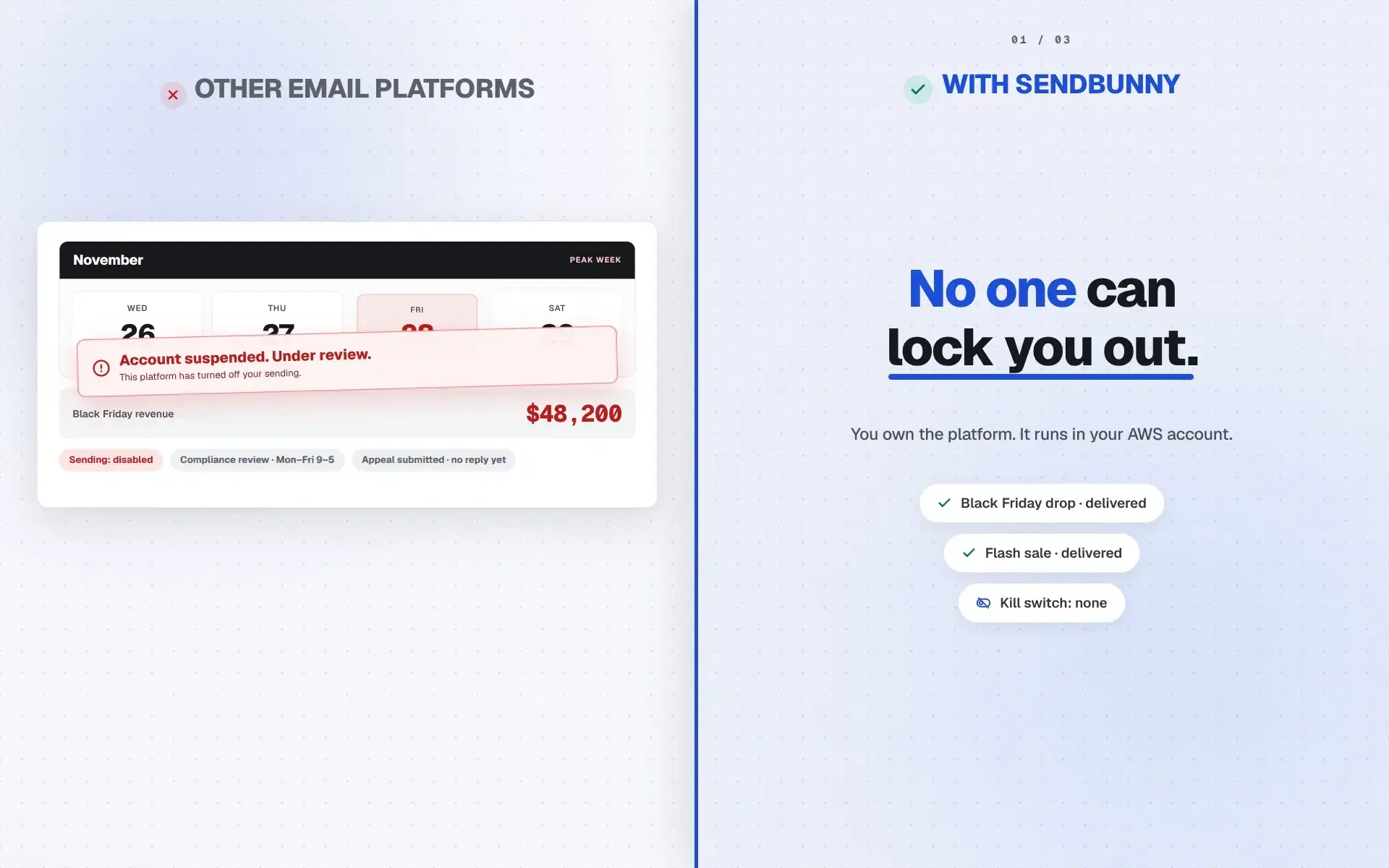
  1. A split screen: left, under OTHER EMAIL PLATFORMS, a suspended Black Friday calendar with frozen revenue; right, under WITH SENDBUNNY, the verdict No one can lock you out. with delivered and kill switch none chips
    No one can lock you outOther email platforms can freeze sending with one automated flag, even in Black Friday week. sendbunny has no kill switch. You own the platform, in your AWS account.
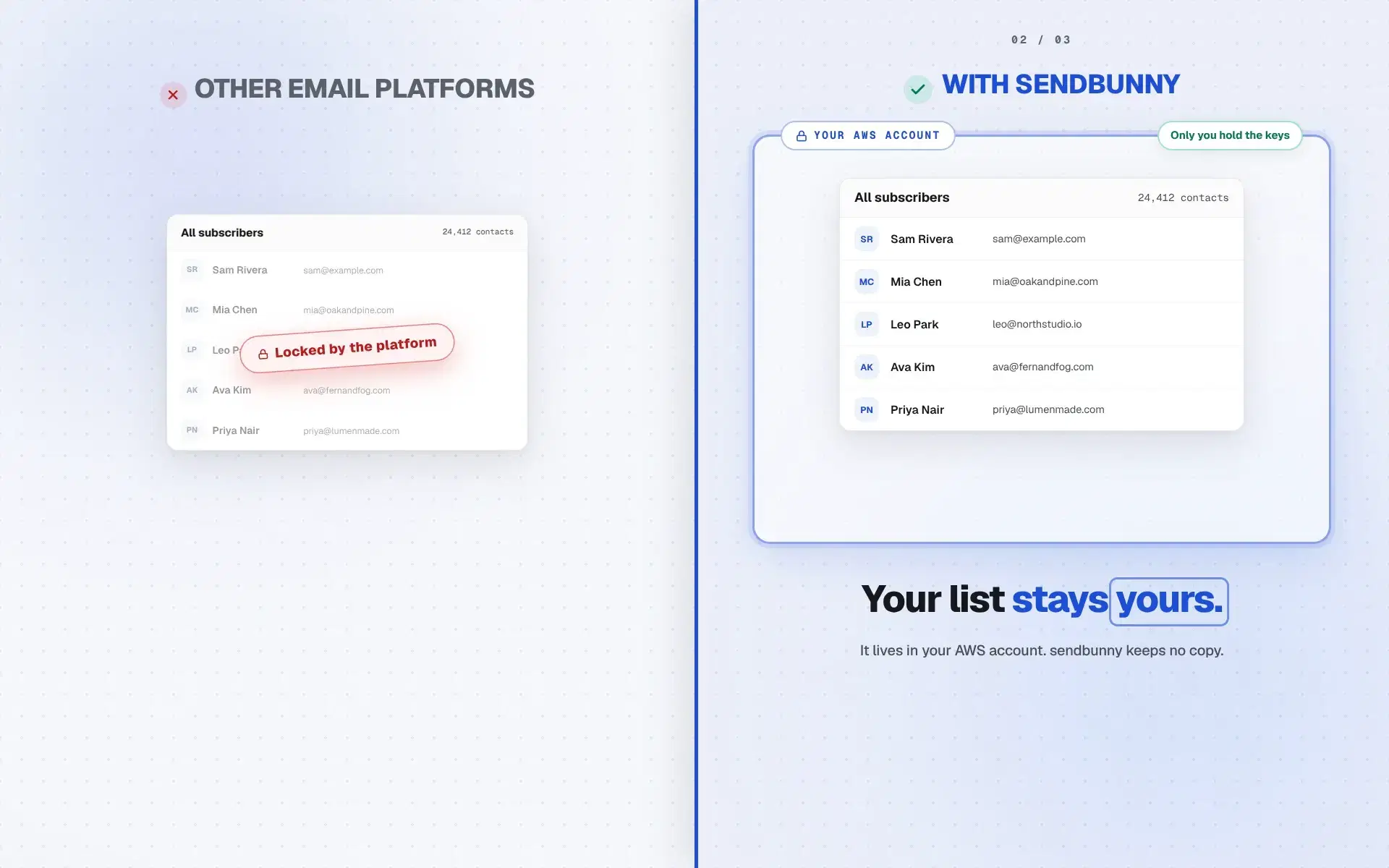
  2. A split screen: left, under OTHER EMAIL PLATFORMS, a greyed subscriber list stamped Locked by the platform; right, under WITH SENDBUNNY, the same list healthy inside a Your AWS account boundary above the verdict Your list stays yours.
    Your list stays yoursOther email platforms keep your contacts on their servers. In sendbunny the list lives in your AWS account, yours to keep and export, always.
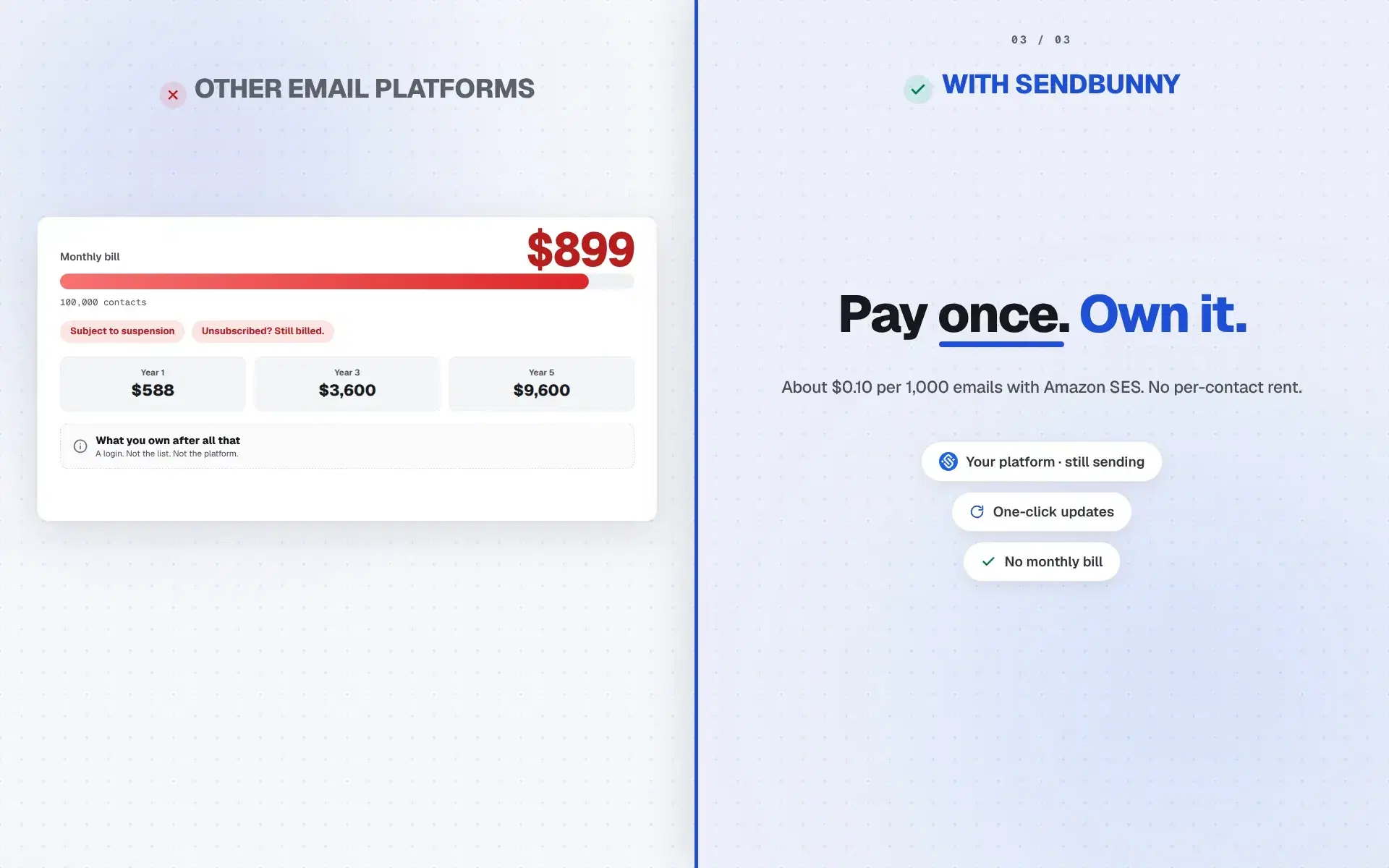
  3. A split screen: left, under OTHER EMAIL PLATFORMS, a bill card at 899 dollars a month; right, under WITH SENDBUNNY, the verdict Pay once. Own it. with Amazon SES pricing and one-click updates chips
    Pay once. Own it.Other email platforms charge per contact, more every year. sendbunny is pay once, then about $0.10 per 1,000 emails with Amazon SES.

Stay current

Updates ship to your app. You just click.

When we release a new version, a banner appears in your dashboard. One click re-runs the installer inside your AWS account, backend first and dashboard swap last, so a failed update can never take your platform down. No console, no commands, no AWS knowledge.

Let the updates subscription lapse? Your platform keeps running forever. You simply stop receiving new features until you renew.

app.yourbrand.co/updates
New version v1.1.0 available

v1.1.0: Segments & quota alerts

Updates included with your subscription

Update now

Pricing

One-time purchase. Yours forever.

Buy once and the platform is yours, deployed on your own AWS. Add a yearly maintenance plan to keep getting updates, bug fixes, and new features.

One-time only+ Yearly maintenanceRecommended

Basic

$99$129

One-time payment

+$49/year maintenance

Updates, bug fixes, and new Basic features

  • Unlimited emails, contacts, and domains
  • Unlimited campaigns and templates
  • Transactional email API
  • Notion-style editor, or drop to HTML
  • Real-time analytics dashboard
  • Audience and suppression lists
  • One-click deploy into your own AWS
  • Your data never leaves your account
  • Inbox to send/receive emails
  • Priority support
  • AI email and template generation
  • MCP server
Launch pricing43 of 50 left

Your spot

#8 of 50

Next 50

Then $129

Billed $99 now + $49/year

Most popular

Premium

$199$249

One-time payment

+$99/year maintenance

Updates, bug fixes, and new Premium features

  • Unlimited emails, contacts, and domains
  • Unlimited campaigns and templates
  • Transactional email API
  • Notion-style editor, or drop to HTML
  • Real-time analytics dashboard
  • Audience and suppression lists
  • One-click deploy into your own AWS
  • Your data never leaves your account
  • Inbox to send/receive emails
  • Priority support
  • AI email and template generationComing soon
  • MCP serverComing soon
  • All upcoming features
Launch pricing31 of 50 left

Your spot

#20 of 50

Next 50

Then $249

Billed $199 now + $99/year

What happens without a maintenance plan?

You own the version you deployed, forever. It keeps working as long as your AWS account is active. You just won't receive future bug fixes, security patches, or new features unless you add or renew the yearly maintenance subscription at any time.

From checkout to sending in about ten minutes. Watch the install

Prices in USD. AWS usage (≈ $0.10 per 1,000 emails) is billed directly by Amazon. Yearly maintenance renews automatically; cancel anytime.

FAQ

Questions before you own it

Straight answers. Then checkout when you are ready.

How is this cheaper than Mailchimp?

Mailchimp bills by contacts. sendbunny is a one-time license from $99, then Amazon SES for sends. Inactive contacts do not raise a platform tier.

What do I pay when I send nothing?

About $0 for the platform. There is no monthly sendbunny fee. AWS only bills when you use SES and related services.

Can I buy from this page?

Yes. Hero buttons and the Pricing section both go to the same Stripe checkout for Basic and Premium.

I’m already on AWS. Do I need a new account?

No. Install into the AWS account you already use. One Create stack click.

sendbunny

Your email platform is one click away.

Ten minutes from now it can be running in your AWS account: sending for pennies, scaling on its own, and answering to nobody but you.

One-time price · ~10-minute install · yours forever