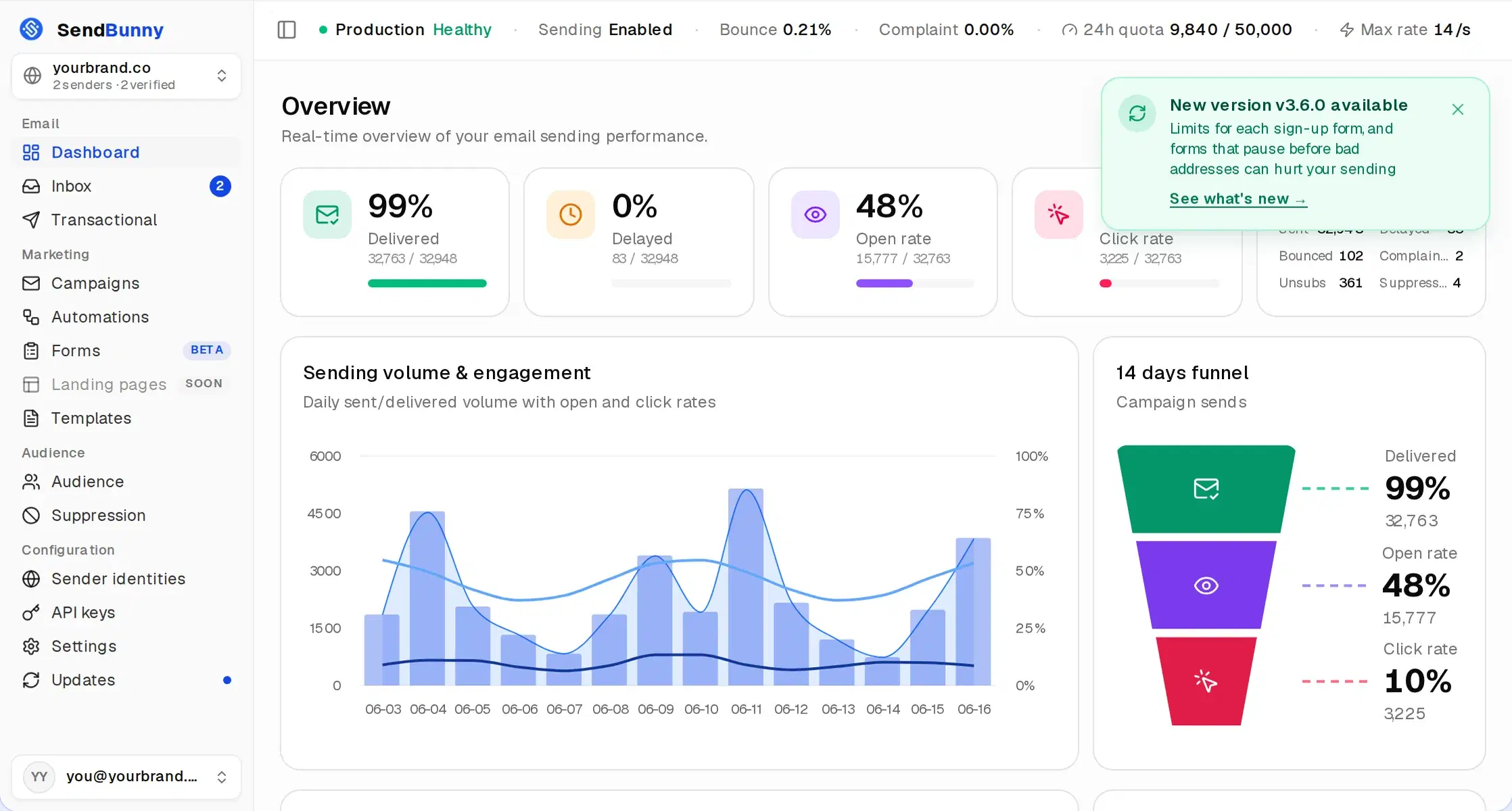
Seeded with demo data. Your install starts empty and fills up with your own sending.
$0.10
per 1,000 emails
$0
monthly platform fee
~10 min
click to live
100%
in your AWS account
How it works
Three clicks and you own the email platform.
No terminal, no YAML, no AWS expertise. If you can click a button, you can do this. Watch the whole thing:
Before you start: an AWS account with Amazon SES production access. New AWS accounts start in a test mode that only emails addresses you have verified, and Amazon gives full access once it has reviewed your request. Not sure where you stand? Ask us.
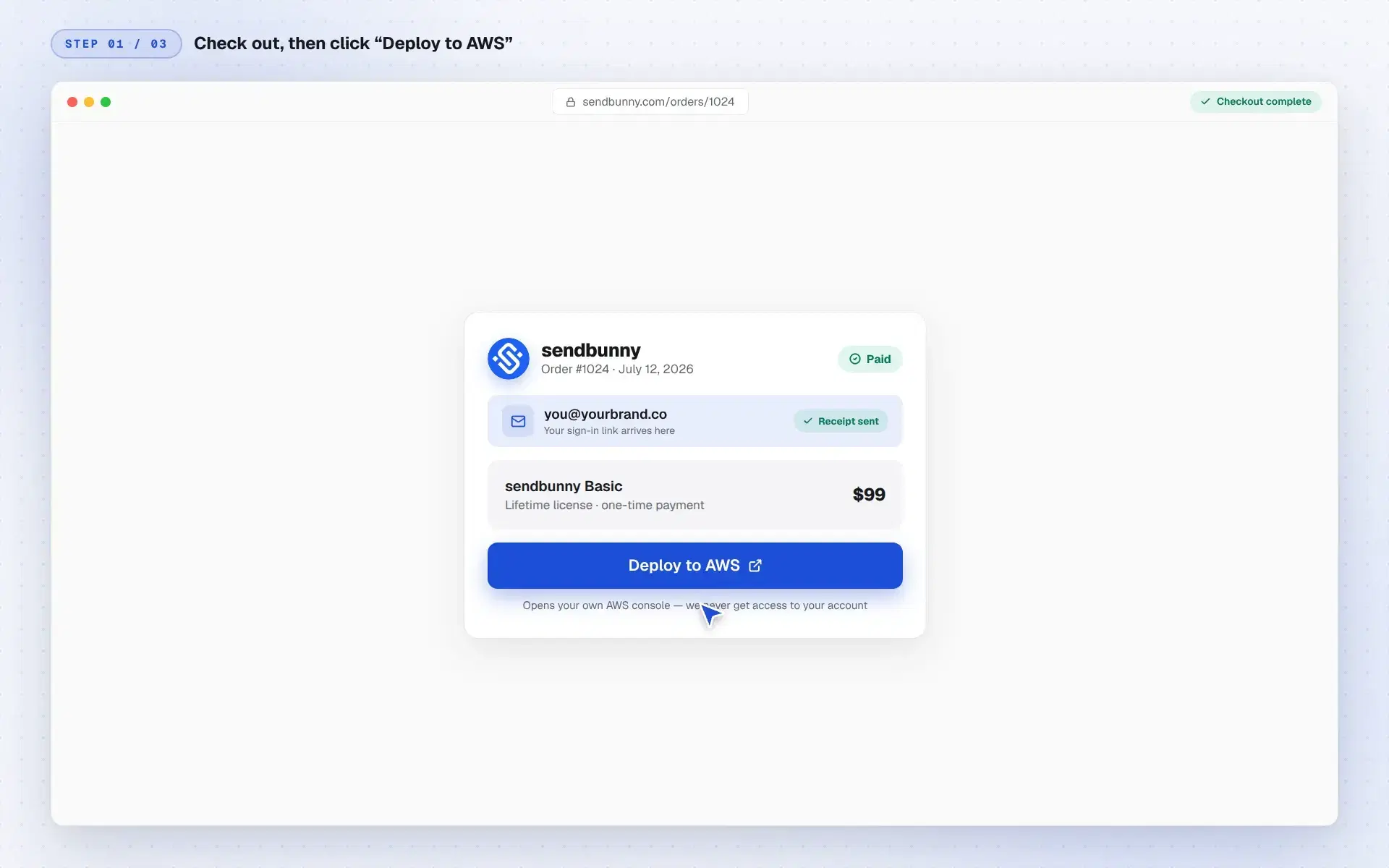
1Click “Deploy to AWS”Check out with your email. Your order page then shows one button that opens your own AWS console, everything pre-filled.
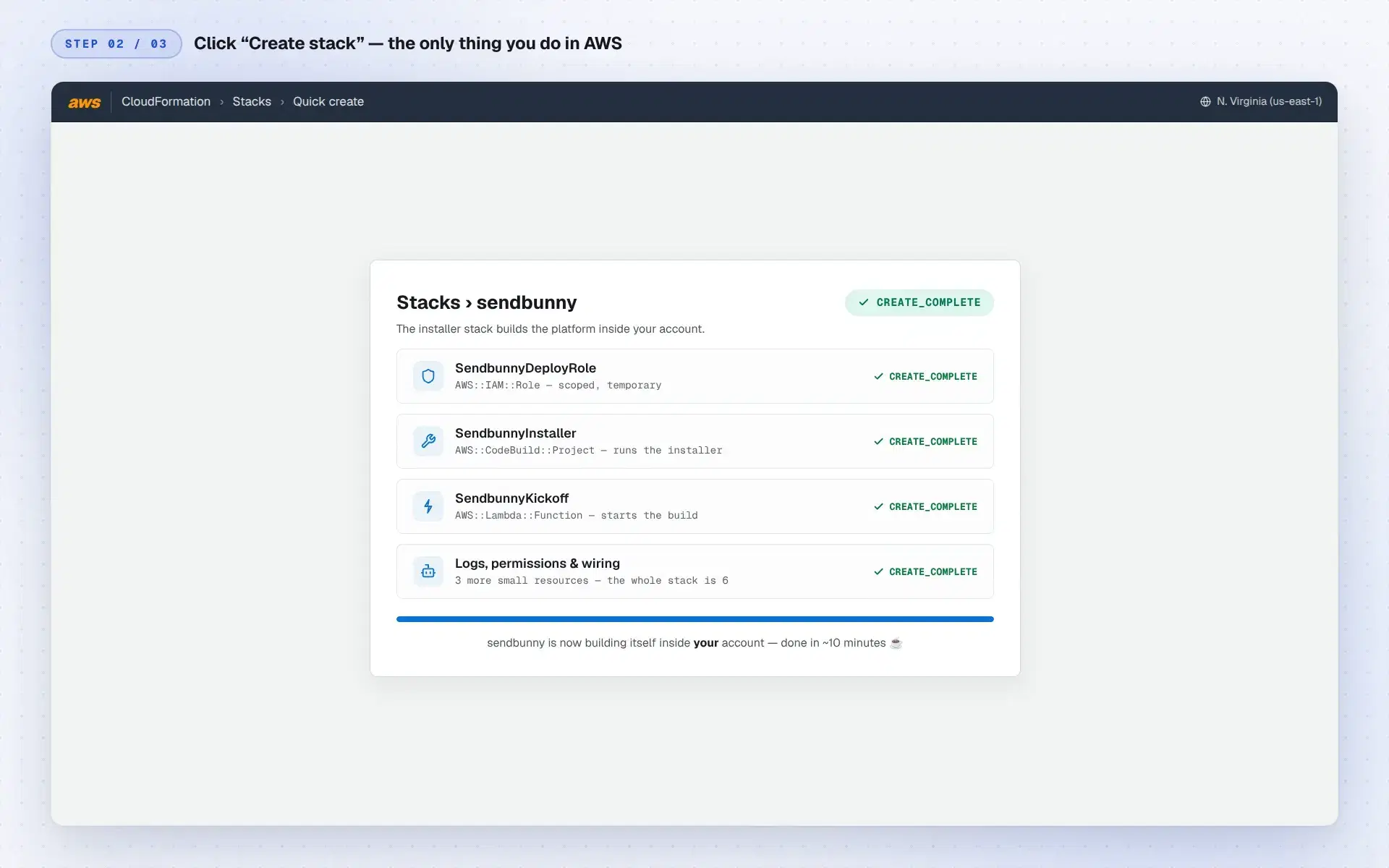
2Click “Create stack”The only thing you do in AWS. A tiny, readable installer stack of six resources builds the platform inside your account in about ten minutes.
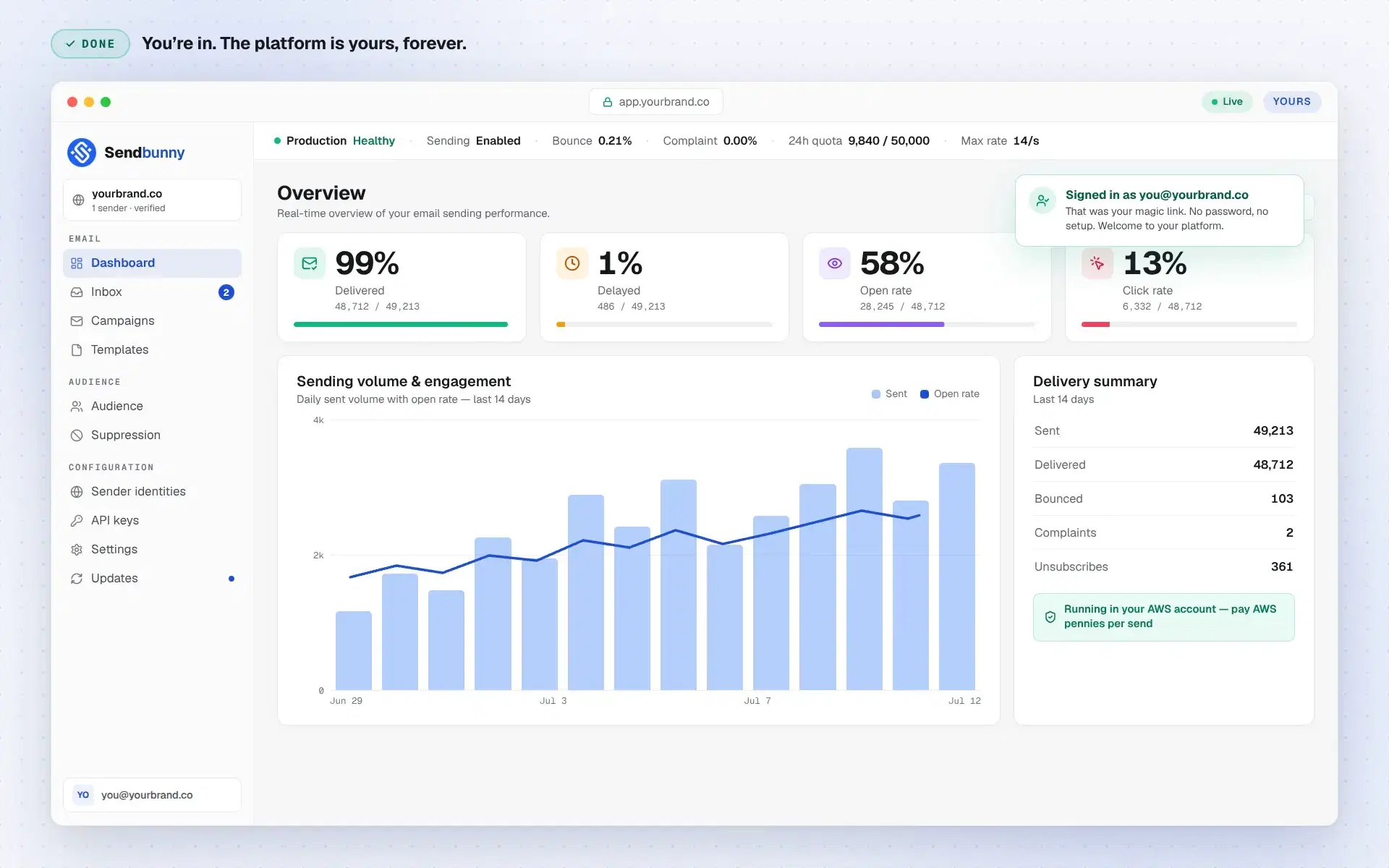
3Open your emailWe send a magic sign-in link to the email you used at checkout. One click opens your dashboard at your own URL, already signed in. It's yours, forever.
The installer stack is six readable CloudFormation resources. Audit it before you click. Your credentials never leave your account.
The editor
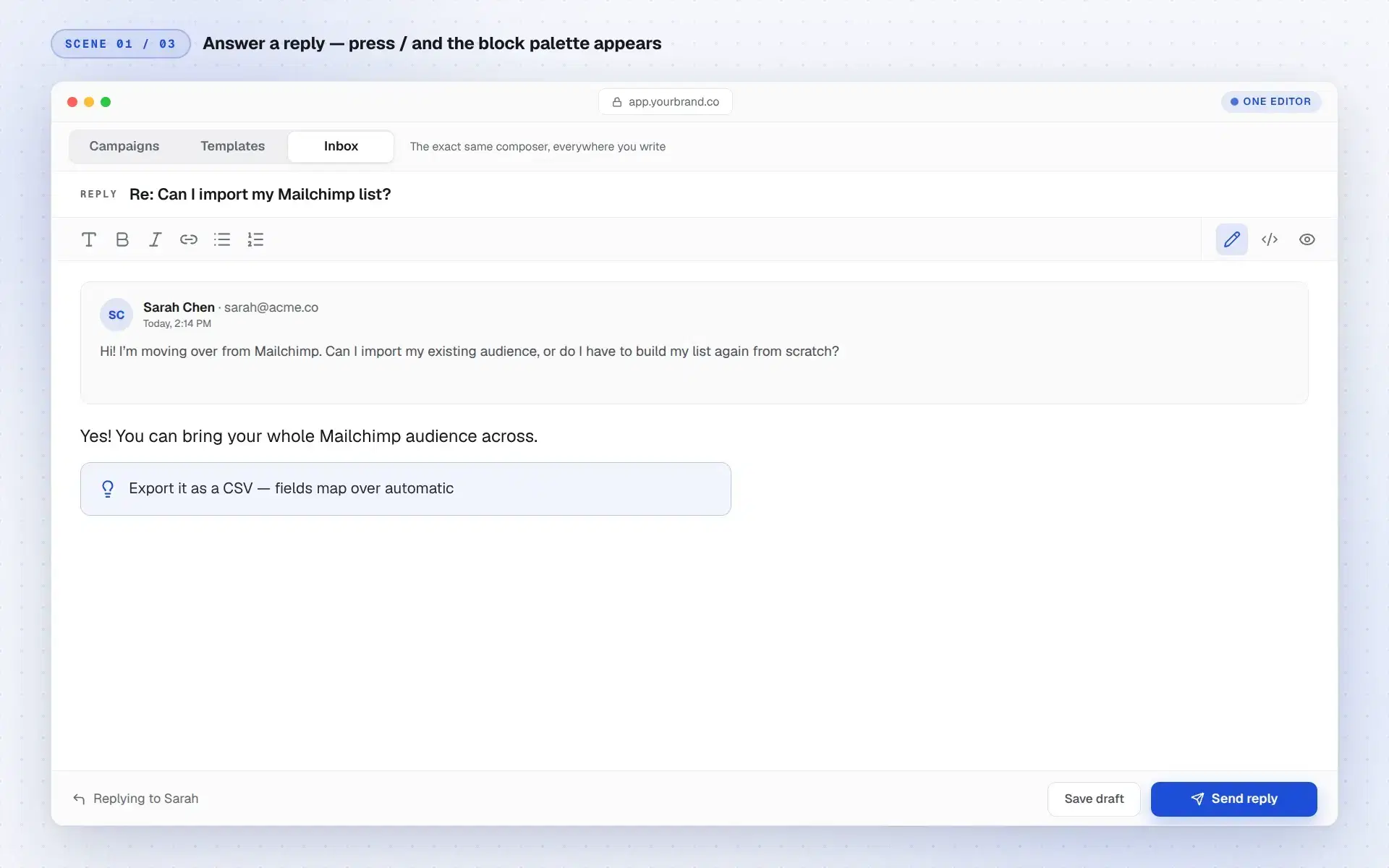
One editor for campaigns, templates, and replies.
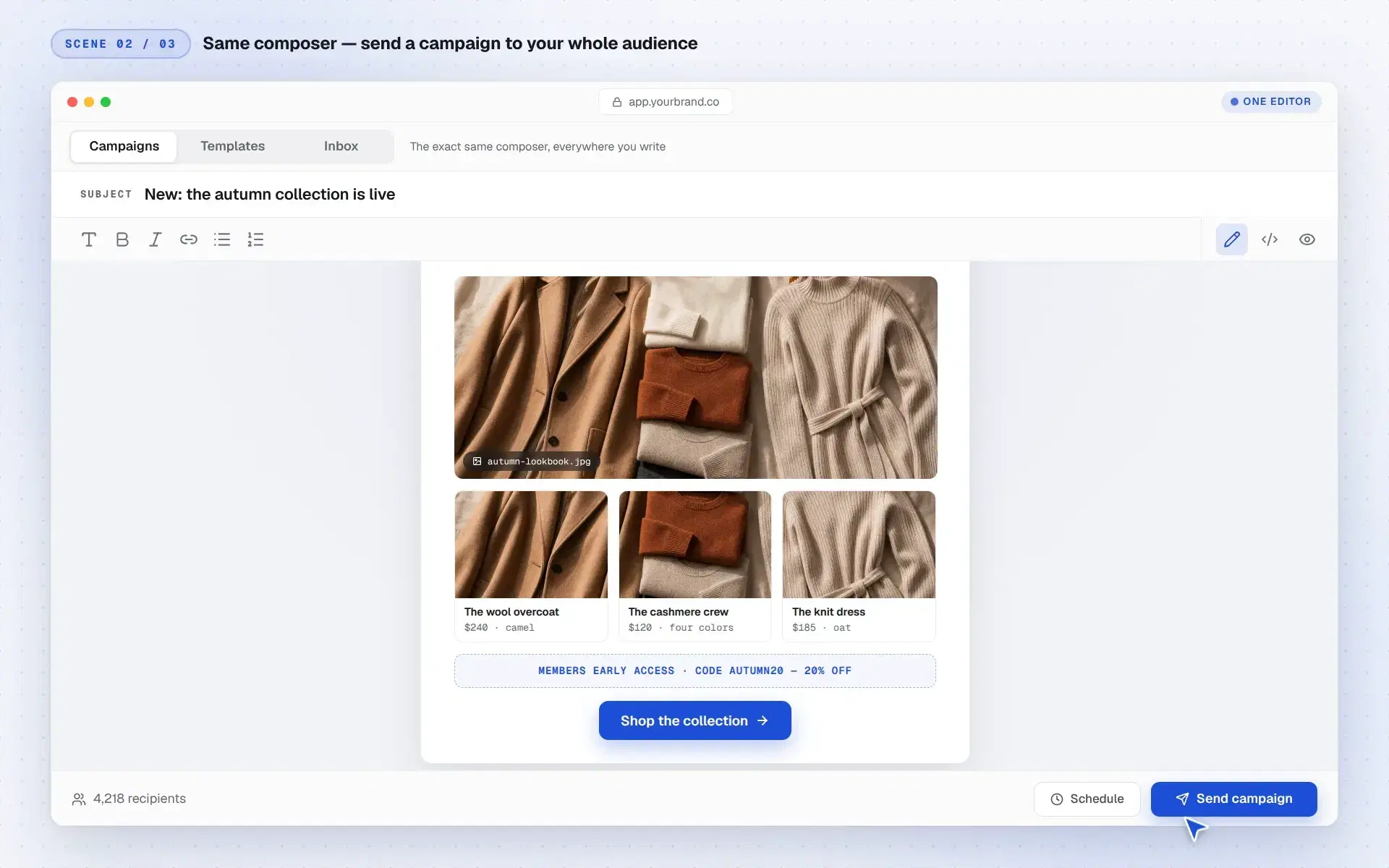
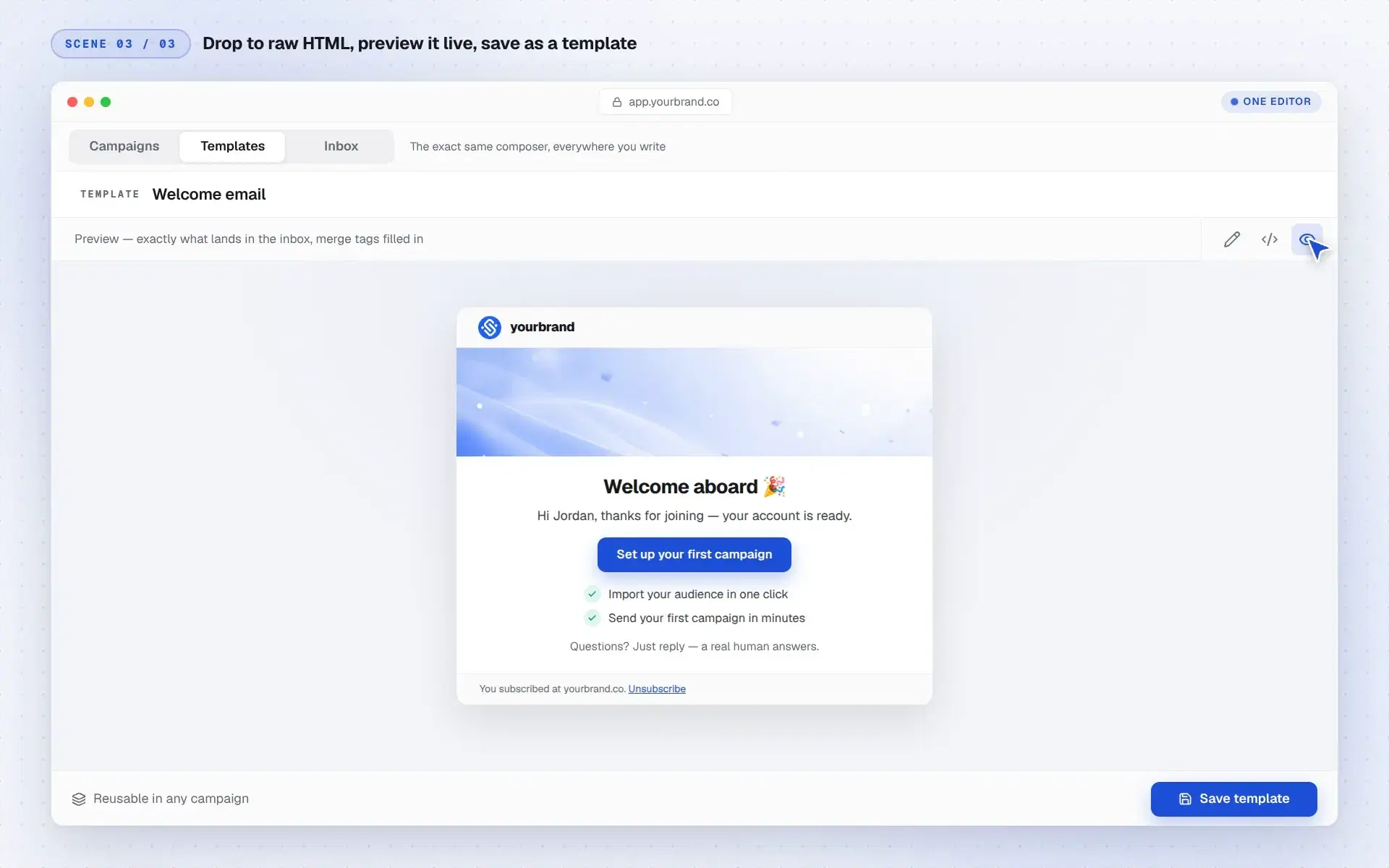
Slash commands, a live preview, and a drop-to-HTML escape hatch. The same composer everywhere, so you learn it once. Watch it work:
Slash commandsAnswer a real reply: press / and the whole block palette drops in: headings, callouts, tables, dividers. Pick one, keep typing, hit send.
One composer, everywhereSwitch to Campaigns and compose a real branded email: hero image, product cards with prices, a promo code, merge tags. Then send it to your whole audience.
Drop to HTMLNeed pixel control? Flip to raw HTML and write the full document: tables, inline styles, merge tags. Preview exactly what lands in the inbox, and save it as a template.
Every surface shares one editor. Format with the toolbar, or press / and keep typing. Nothing to relearn as you move between campaigns, templates, and the inbox.
What's in the box
Not just sending. The whole platform.
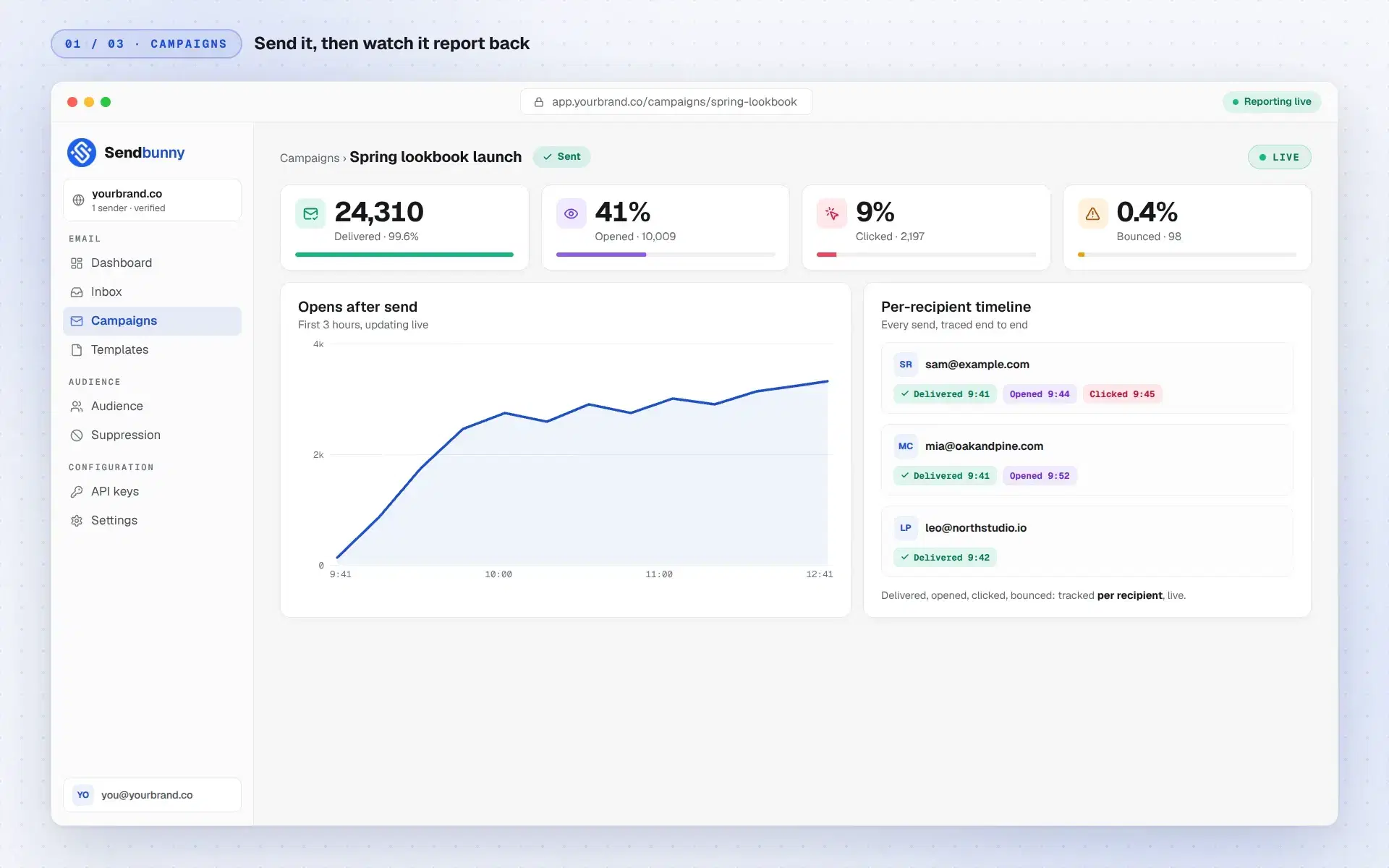
Campaigns, audience, templates, API, analytics, and a real team inbox. Every surface a business needs to run email, deployed together in one install. Watch it run:
Campaigns that report backSend to your whole list, then watch delivered, opened, and clicked stream in live, down to a per-recipient timeline of every send.
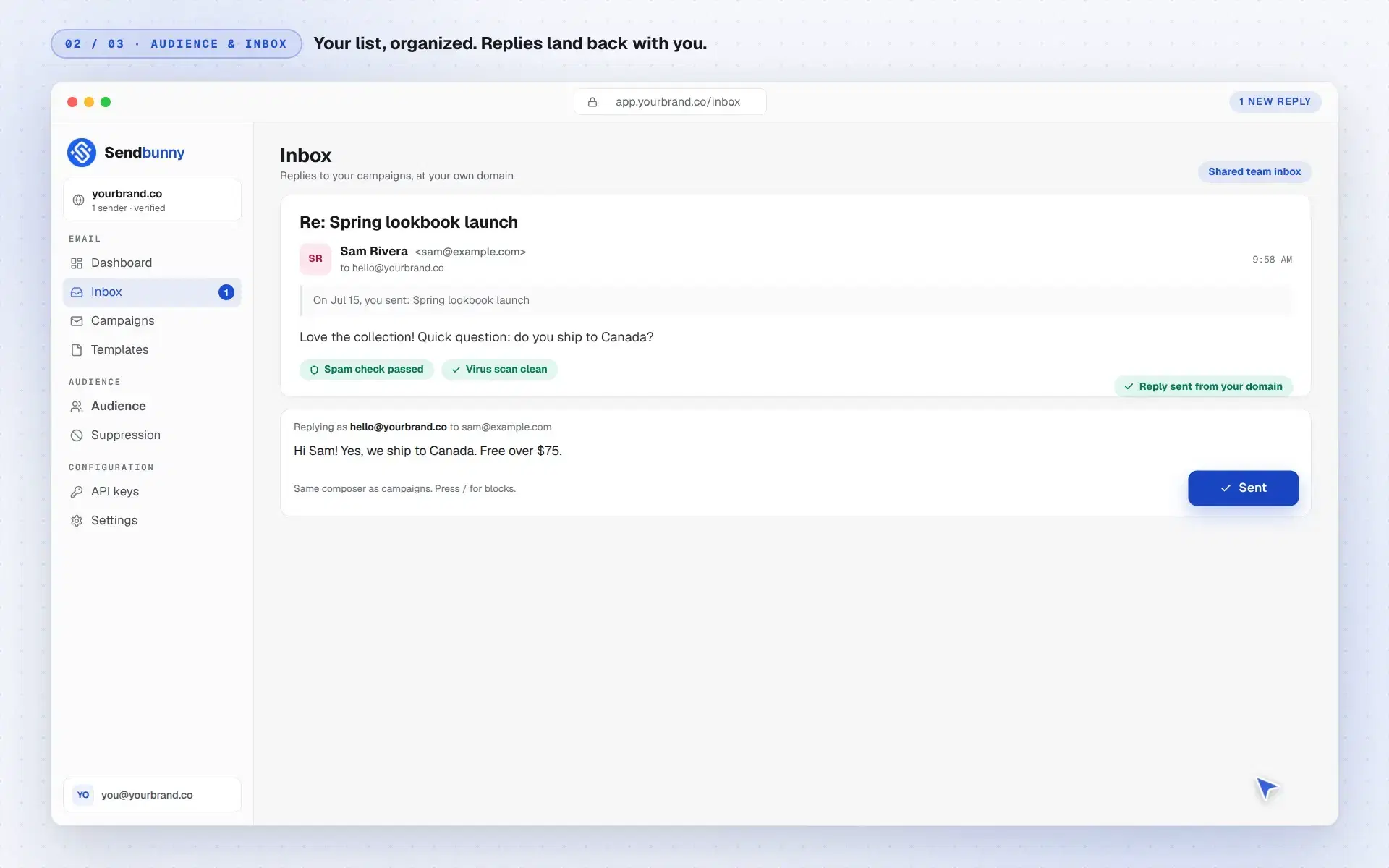
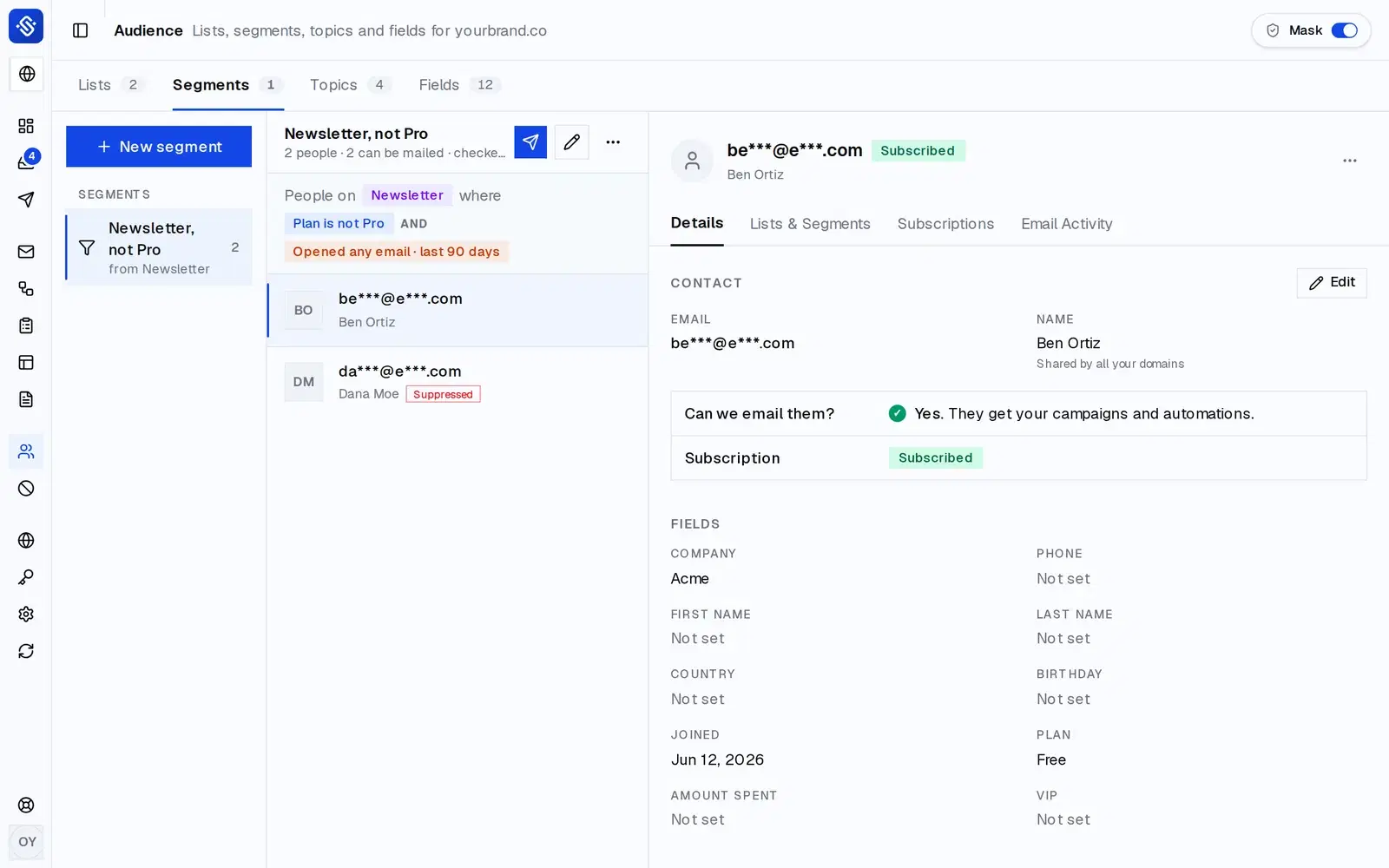
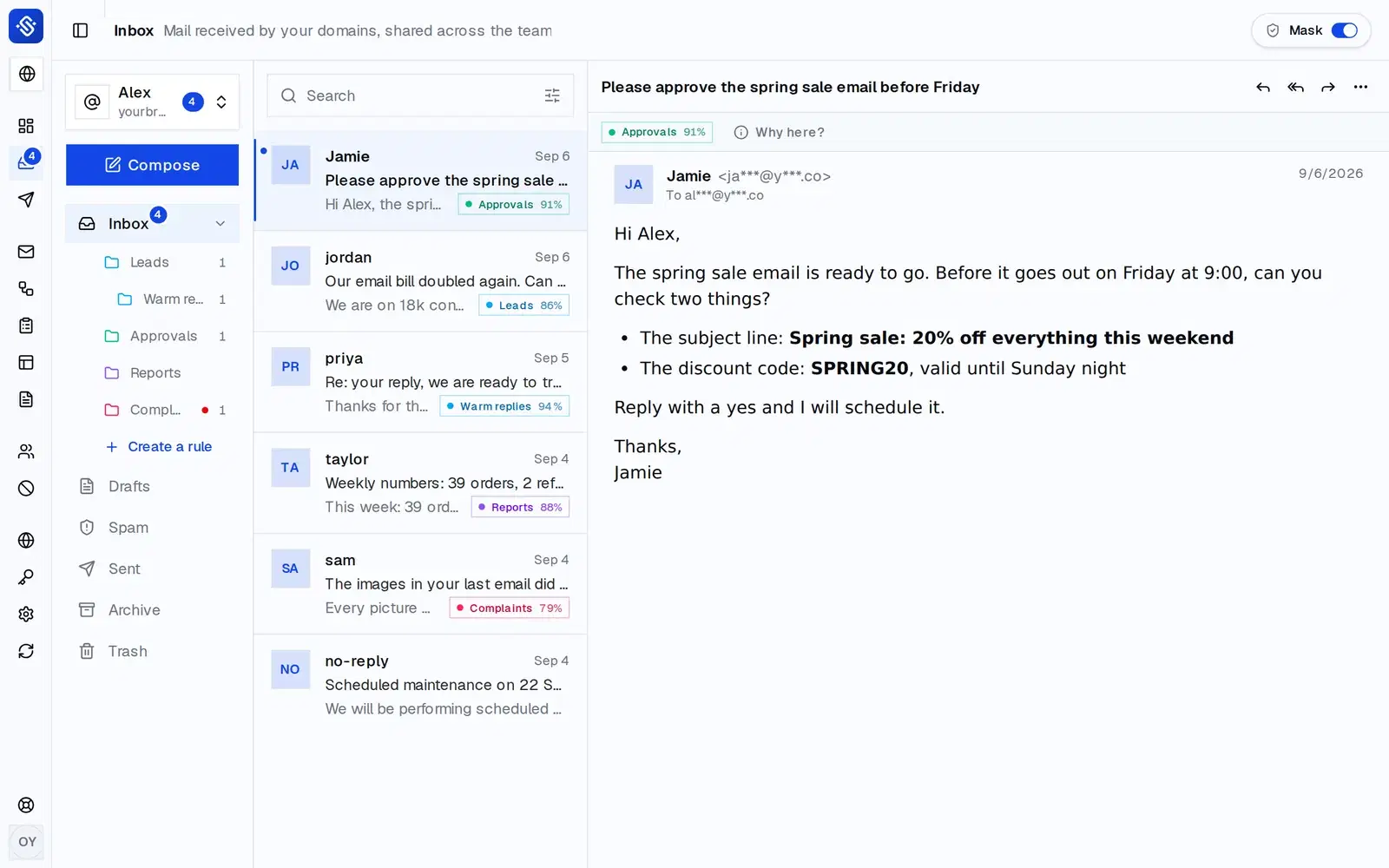
Replies land in your inboxSend and receive: every reply threads into a team inbox at your own domain, ready to answer. Behind it, unlimited contacts with lists and tags, and CSV imports that run in the background.
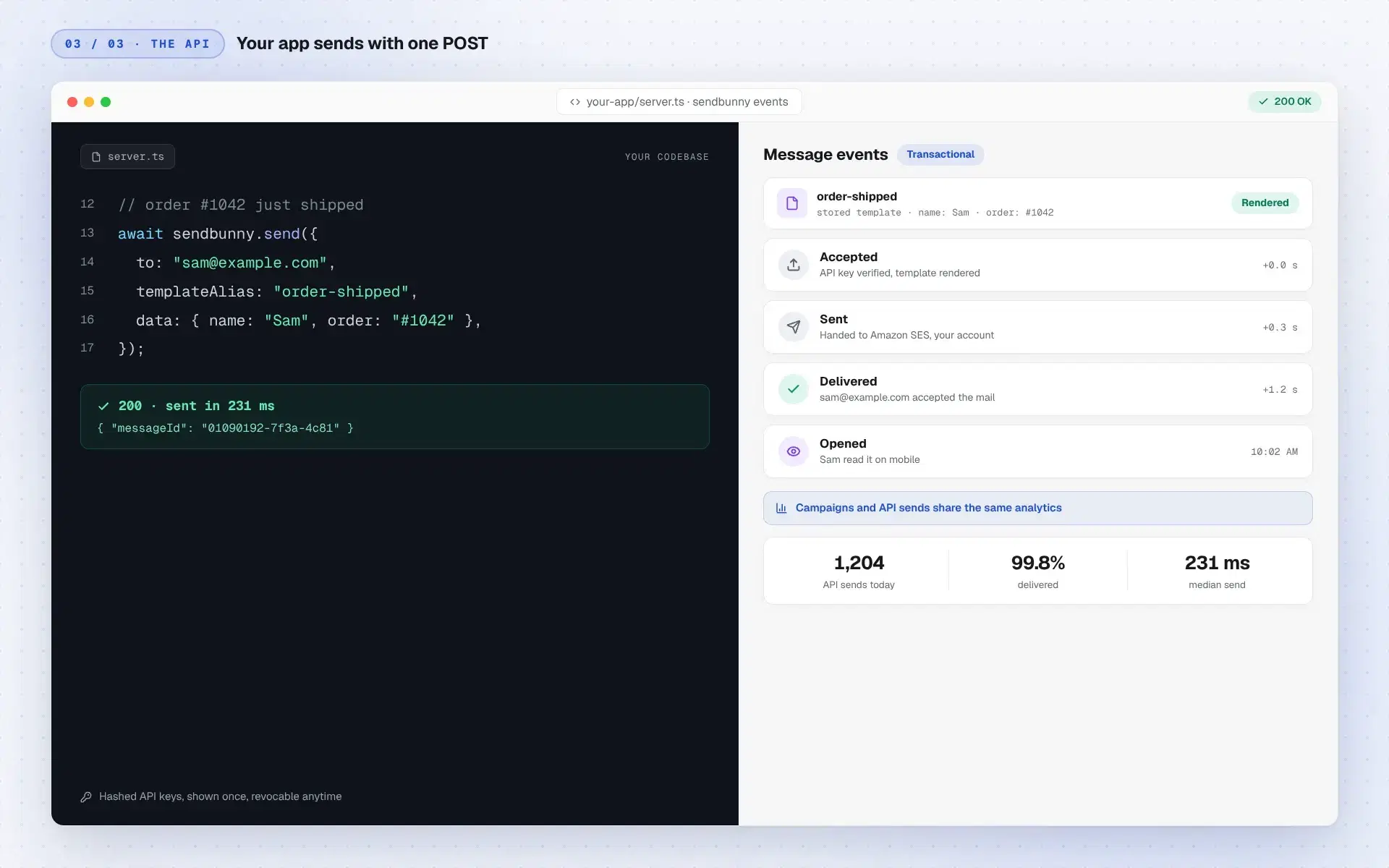
An API your app will likeReceipts, resets, alerts: one POST sends them from your code. Stored templates render with your merge data, and every send gets the same analytics.
Email MCP server for AI agents
Your AI agent can run all of it.
Connect Claude, Codex or Cursor over MCP and it can do anything you can do in the dashboard, from building a segment to publishing a sign-up form. You decide what it may touch.
claude · sendbunny connected, 182 tools
> Find everyone who hasn't opened anything in 90 days and send them a win-back on Tuesday at 9:00. Send me a test first.
sendbunny ·list_segmentsreadsNo segment for that yet
sendbunny ·create_segmentchanges“Not opened in 90 days” · 1,284 people
sendbunny ·create_templatechanges“We kept your seat warm”
sendbunny ·test_campaignchangesTest sent to you@yourbrand.co
sendbunny ·plan_campaignreadsAll 1,284 go out Tuesday by 09:02
sendbunny ·start_campaignchangesScheduled for Tuesday 09:00
Done. 1,284 people get “We kept your seat warm” on Tuesday at 9:00. Your test is in your inbox, and the campaign is in your dashboard if you want to change a word.
Works with the assistant you already useClaude Code, Claude Desktop, Codex, Cursor and VS Code connect over MCP. Paste one URL, sign in, done.
Everything, not a cut-down API182 tools cover campaigns, automations, segments, forms, landing pages, contacts, imports, the inbox, templates, webhooks and settings.
You set the limitsChoose Send mail, Inbox or Full for each domain. Disconnect an agent any time from API keys.
It asks before it deletesEvery tool says whether it reads, changes or deletes, so your assistant knows when to check with you first.
You see every changeWhat an agent does shows up in your open dashboard at once, and in the activity log.
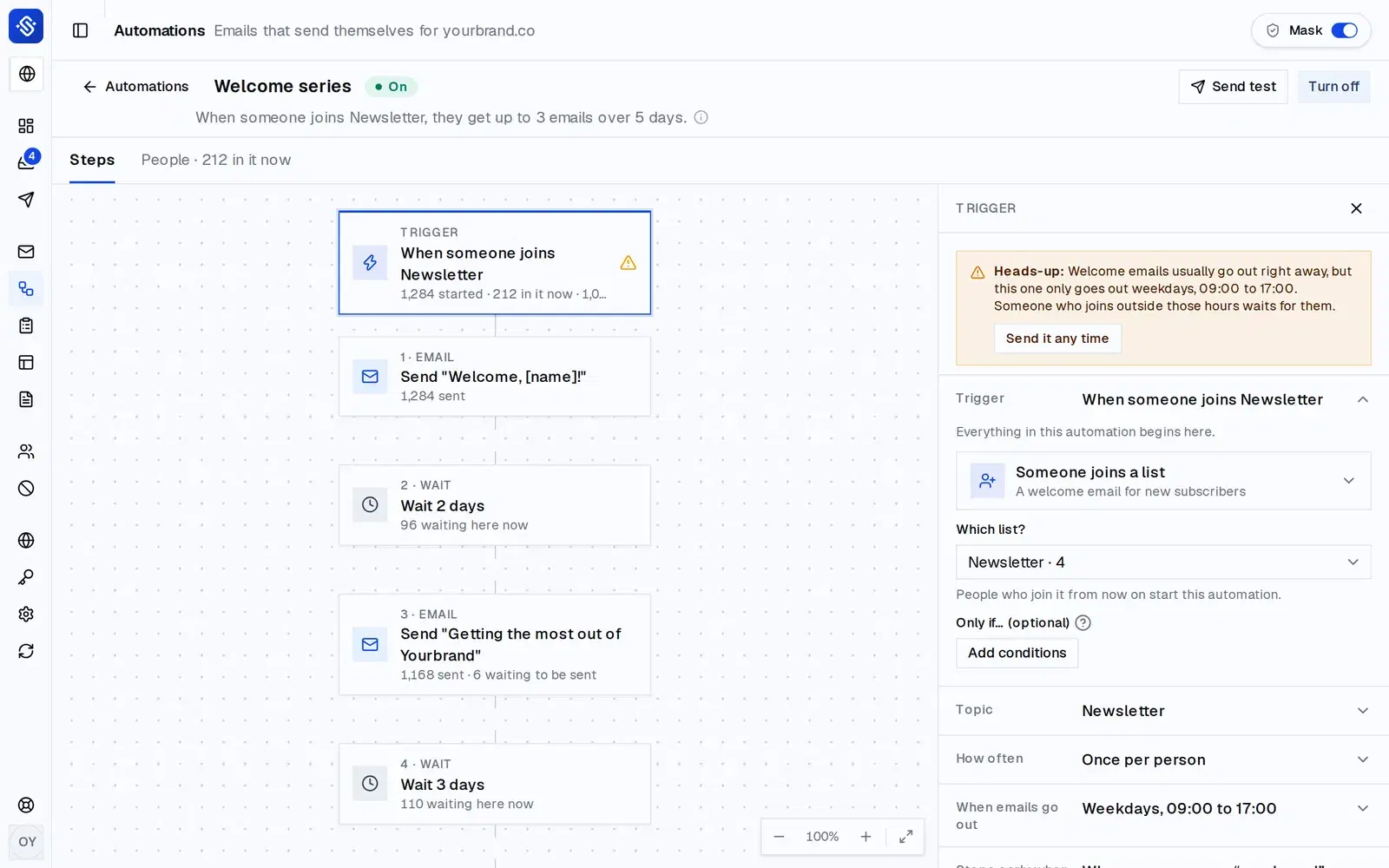
Other email platforms often keep branching automations and advanced segments for their pricier plans. Here all of it comes with every install: no tier to unlock, and no bill that grows with your list.
A page for every offer
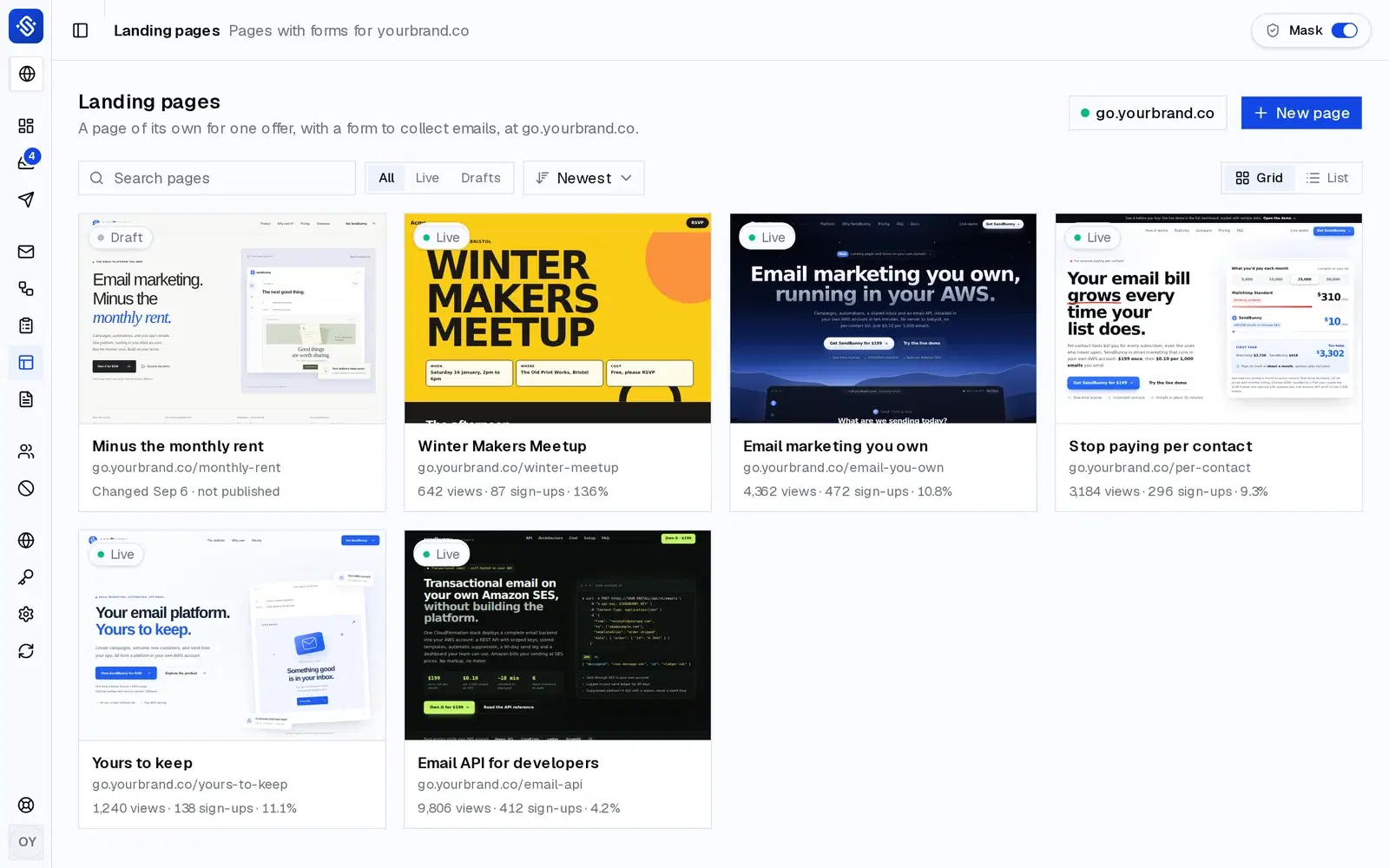
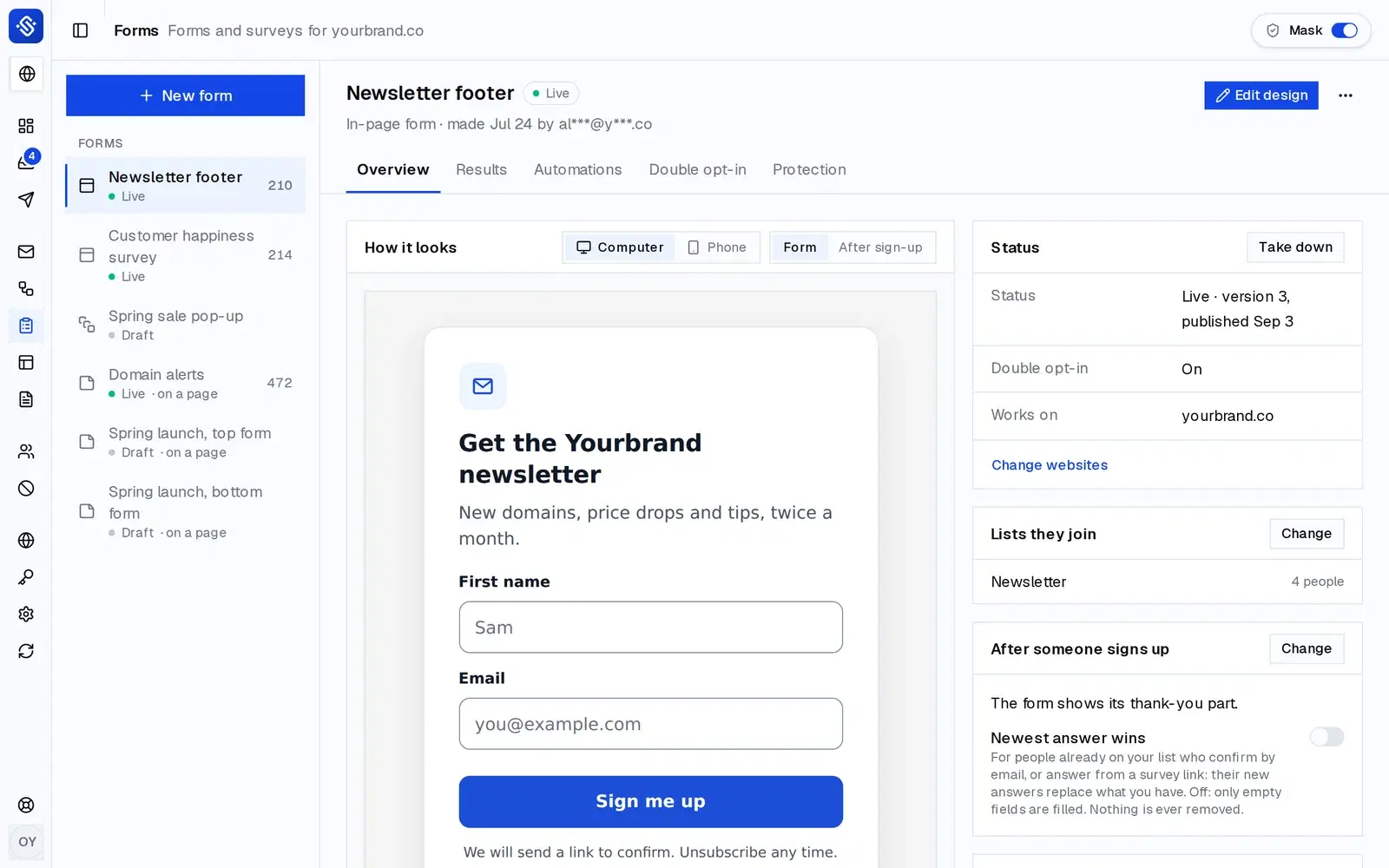
Describe the page to your AI app, or start from a ready-made design, then click any part to change it. Preview it on a computer, tablet or phone and publish at your own domain, ready for Google and for sharing. Every visit and sign-up is counted.
app.yourbrand.co/landing-pages
app.yourbrand.co/landing-pages
Also included:WebhooksGradual Send warm-upBig sends spread over daysDouble opt-inImage libraryUnlimited sending domainsScheduled sendingTest sendsDark mode
Why own instead of rent
Own your email. Don't rent it.
Three risks you carry on other email platforms, and what changes when you own yours.
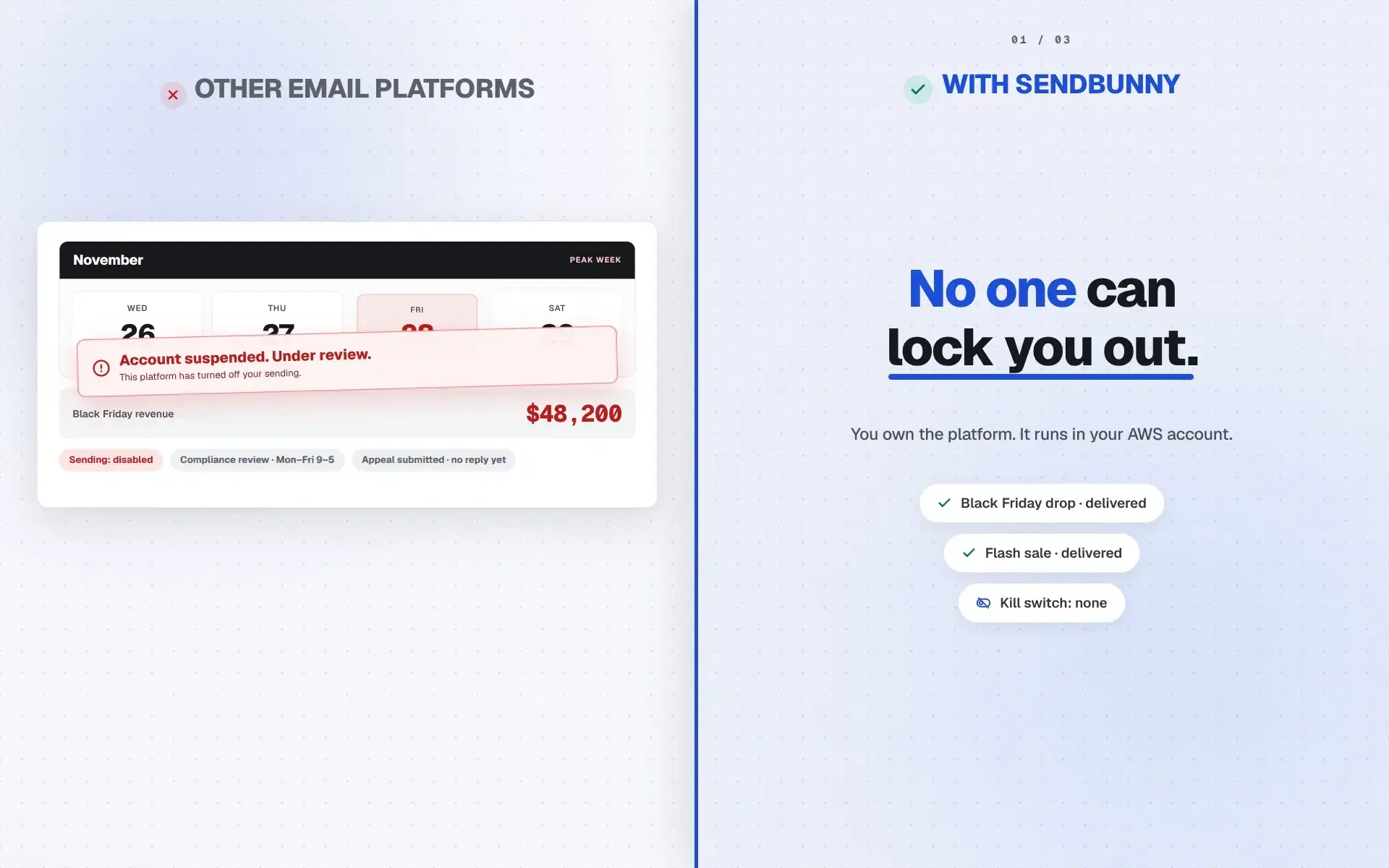
No one can lock you outOther email platforms can freeze sending with one automated flag, even in Black Friday week. sendbunny has no kill switch. You own the platform, in your AWS account.
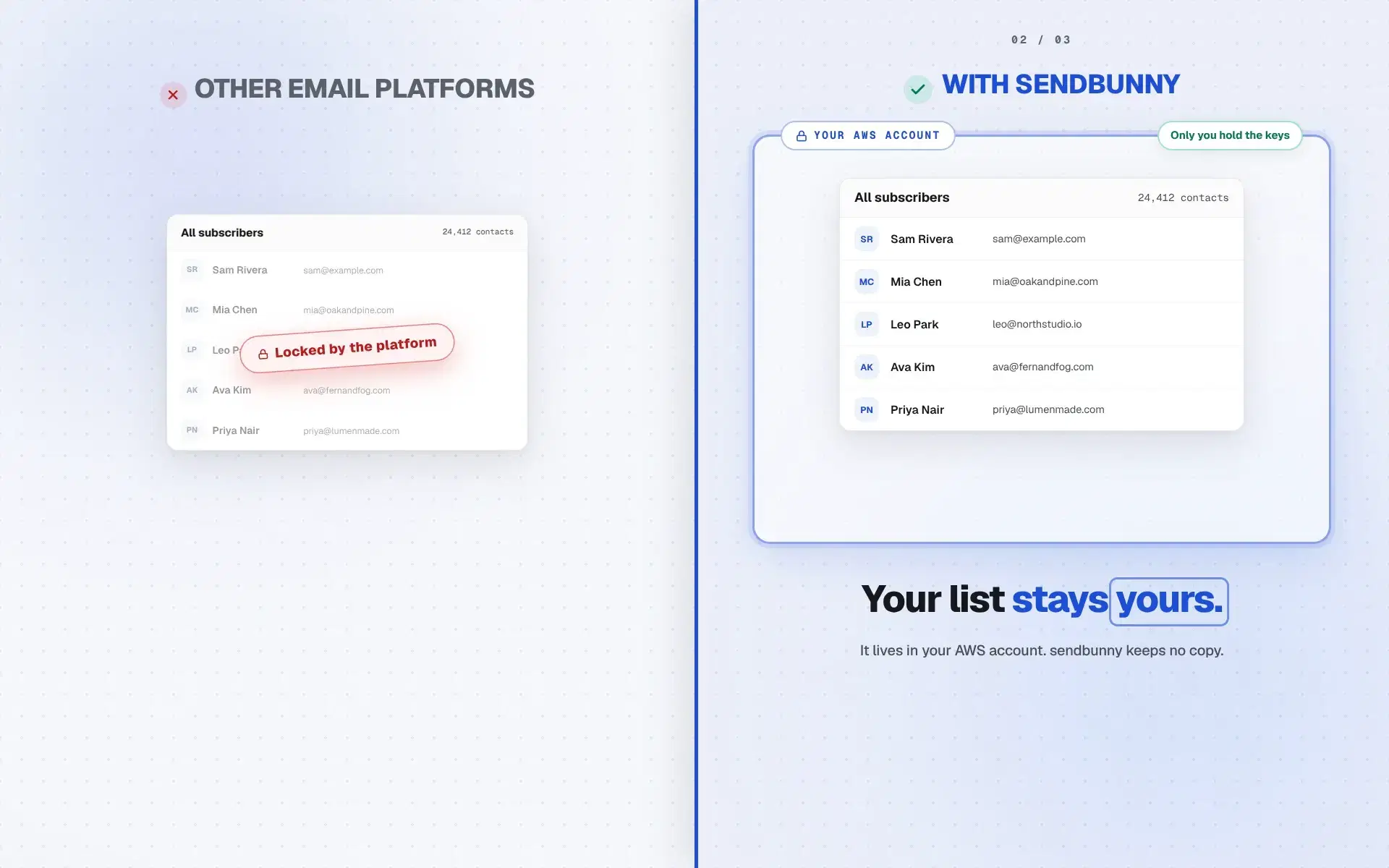
Your list stays yoursOther email platforms keep your contacts on their servers. In sendbunny the list lives in your AWS account, yours to keep and export, always.
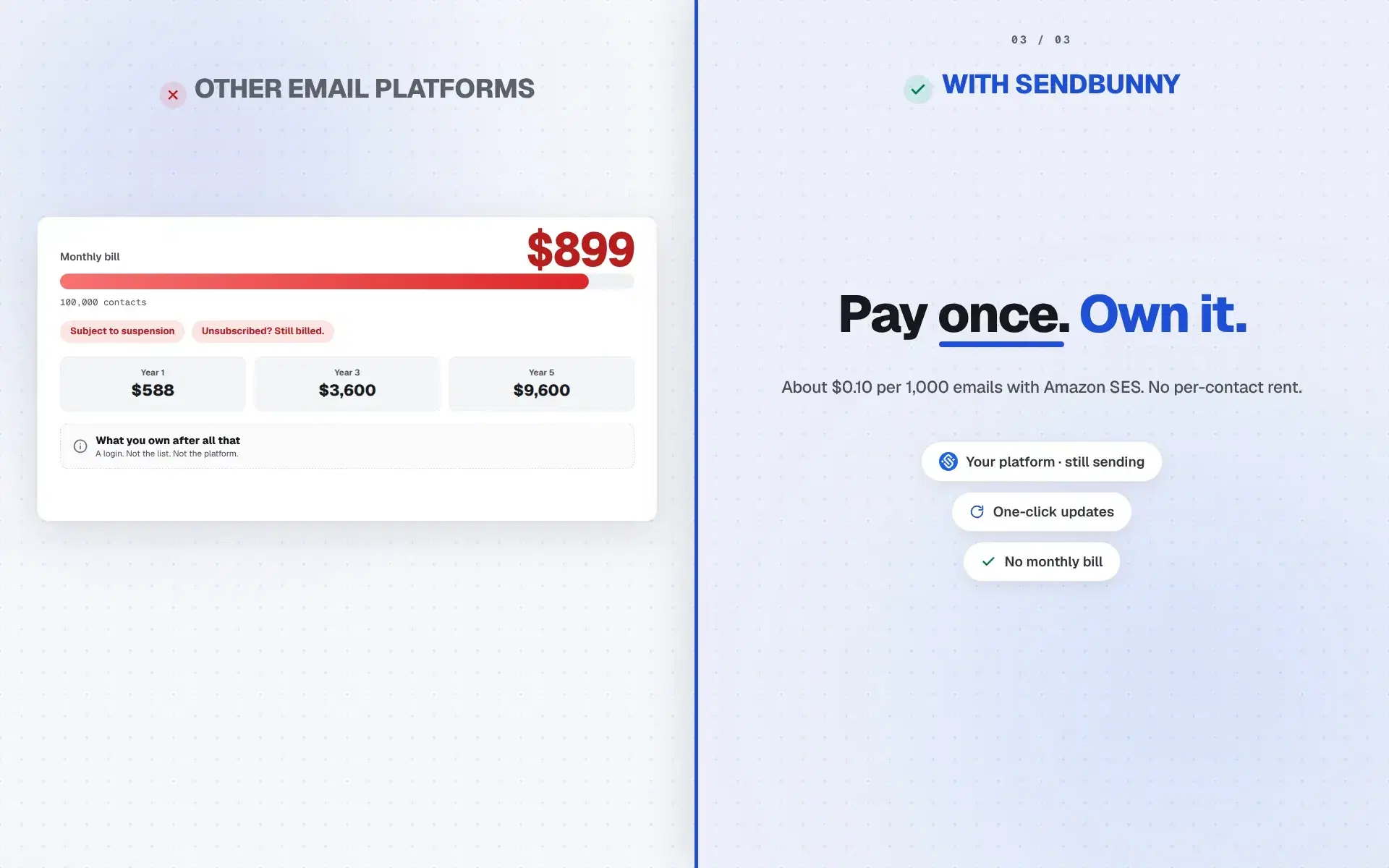
Pay once. Own it.Other email platforms charge per contact, more every year. sendbunny is pay once, then about $0.10 per 1,000 emails with Amazon SES.
The honest comparison
Same emails. Very different bills.
Drag the slider to your monthly send. The chart uses published prices from Mailchimp, Resend, Mailgun, and Amazon SES.
5,000
Side projectGrowing business100M+ a month
Monthly billBar scale · $0 to $20
sendbunny
$0.50
Mailchimp
$20
Resend
$20
Mailgun
$15
About $234 a year stays with you.
Compared with Mailchimp at the same monthly send.
Published pricing as of July 2026. sendbunny is raw Amazon SES at $0.10 per 1,000 emails, billed directly by AWS with no sendbunny markup. Resend and Mailgun price by emails sent and are free under 3,000 a month; Mailgun adds metered overage above its plan limits. Mailchimp bills by contacts, shown here at the smallest plan able to send that volume under its 12x monthly limit, so real-world Mailchimp cost is usually higher. Above each provider's published tiers (roughly 1.2 to 2.5 million emails a month) pricing becomes a custom enterprise quote, while sendbunny stays at the flat SES rate. Figures exclude add-ons like dedicated IPs.
Stay current
Updates ship to your app. You just click.
When we release a new version, a banner appears in your dashboard. One click re-runs the installer inside your AWS account, backend first and dashboard swap last, so a failed update can never take your platform down. No console, no commands, no AWS knowledge.
Let the updates subscription lapse? Your platform keeps running forever. You simply stop receiving new features until you renew.
app.yourbrand.co/updates
New version v3.16.0 available
v3.16.0: Landing pages at a glance
Updates included with your subscription
Update now
Pricing
One-time purchase.Yours forever.
Buy once and the platform is yours, deployed on your own AWS. Add a yearly maintenance plan to keep getting updates, bug fixes, and new features.
One-time only+ Yearly maintenanceRecommended
SendBunny
$199
One-time payment
+$99/year maintenance
Updates, bug fixes, and new features
Unlimited emails, contacts, and domains
Campaigns, templates, automations, and segments
Unlimited landing pages and forms, with bot protection
Bring your list from any email tool
Inbox to send/receive emails
Transactional email API and webhooks
AI agents can run every feature, via MCP
Notion-style editor, or drop to HTML
Real-time analytics dashboard
Subscription topics and a preferences page
One-click deploy into your own AWS
Your data never leaves your account
Priority support
All upcoming features
Billed $199 now + $99/year
You need an AWS account with Amazon SES production access to email your list. No access yet? Ask us and we help you get it.
What happens without a maintenance plan?
You own the version you deployed, forever. It keeps working as long as your AWS account is active. You just won't receive future bug fixes, security patches, or new features unless you add or renew the yearly maintenance subscription at any time.
Prices in USD. AWS usage (≈ $0.10 per 1,000 emails) is billed directly by Amazon. Yearly maintenance renews automatically; cancel anytime.
FAQ
Everything else you'd ask
Straight answers to the questions worth asking before you check out.
Do I need to know AWS?
No. You click one pre-filled button in the AWS console, “Create stack”, and the installer does the rest. Updates are a single click inside your app. You never touch a terminal or write configuration.
What do I need before I buy?
An AWS account with Amazon SES production access, and about ten minutes. New AWS accounts start in the SES sandbox, which only emails addresses you have verified; you ask Amazon for production access, and the app links you straight to the form. A sending domain you own is recommended, and the app walks you through connecting it. Not sure where you stand? Ask us in the form at the bottom of the homepage, or email support@sendbunny.co.
What does it cost to run?
You pay AWS directly for what you use: roughly $0.10 per 1,000 emails via Amazon SES, plus a few cents of serverless infrastructure at higher volumes. If you send nothing, you pay essentially nothing. There are no sendbunny fees on top. Since July 2026 Amazon starts new accounts on its Essentials plan at $0.16 per 1,000; the app shows which plan you are on and switches you to the standard $0.10 price in one click.
Will it disturb what's already running in my AWS account?
No. sendbunny installs alongside your existing infrastructure as its own stack, and a hard product rule says it never modifies, takes over, or deletes anything it didn't create. Where AWS has account-wide settings (like inbound email rules), it detects what exists and coexists additively. It never replaces your configuration.
What's the SES sandbox, and how do I get out of it?
New AWS accounts start in the SES sandbox, which only delivers to verified addresses. The app shows your sandbox status and deep-links to the official AWS form for production access. AWS mostly just wants your website URL, and approval is a routine review. Until then you can set everything up and send tests to verified addresses.
I don't have Amazon SES production access yet. Can I still start?
Yes. You can install SendBunny, set everything up and send tests to your own verified addresses. To email your list you need production access, and we help you ask for it: use the form at the bottom of the homepage, or email support@sendbunny.co.
How does connecting my domain work?
Add your domain and the app generates the exact DNS records for authenticated sending: DKIM, SPF, and DMARC. If your DNS runs on Route 53 in the same account, one click applies them (skipping anything that would conflict with records you already have); otherwise copy them into your DNS provider. Status updates automatically once AWS verifies.
Can I bring my list from my current email tool?
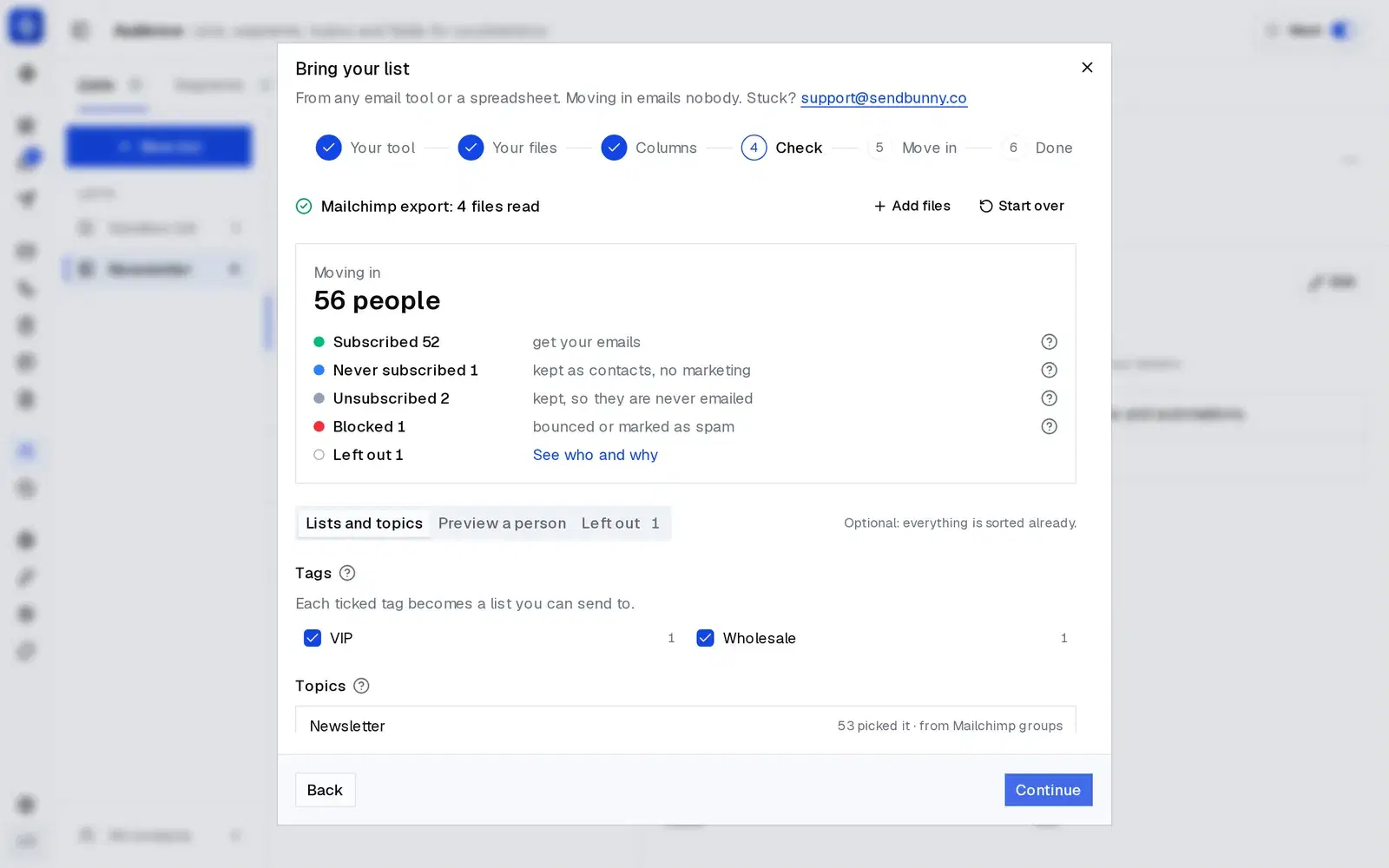
Yes. Pick your old tool, follow its export steps, and drop the files as they came: a ZIP, CSVs, an Excel workbook or JSON. Subscribers, unsubscribes, bounces, lists, tags and fields land where they belong. You check everything before it moves, anyone who said no stays a no, and moving in emails nobody. Large lists import in the background.
Can it really handle high volume?
Yes. Sending runs through Amazon SES, the same infrastructure Amazon uses for its own email, and everything around it is serverless and scales automatically. 10 emails a month or 100 million, it is the same install with no plan to upgrade and no server to resize. As your volume grows, AWS raises your SES sending limits on request, a routine approval.
Can my team use it?
Yes. Sign-in is invite-only: an admin invites teammates and assigns admin or member roles. There is a shared team inbox the whole team can use, and every privileged change is recorded in an audit log.
Can I send transactional email from my app?
Yes. Every install includes a REST API. Create a key in the dashboard (shown once, stored hashed, revocable anytime), then POST a from, to, subject, and body, or reference a stored template by alias and pass merge data. Suppression is enforced on this path too. Webhooks tell your app the moment an email is delivered, bounces, is opened or clicked, or someone unsubscribes.
Can AI agents like Claude or Codex use it?
Yes, and not just to send. Connect Claude Code, Claude Desktop, Codex, Cursor or VS Code over MCP: paste one URL, sign in, and choose Send mail, Inbox or Full access for each domain. The agent gets 182 tools covering everything in the dashboard, from campaigns and automations to segments, sign-up forms, landing pages, the inbox and settings. Every tool says whether it reads, changes or deletes, everything it does shows up in your dashboard at once, and you can disconnect it any time.
What keeps me out of the spam folder?
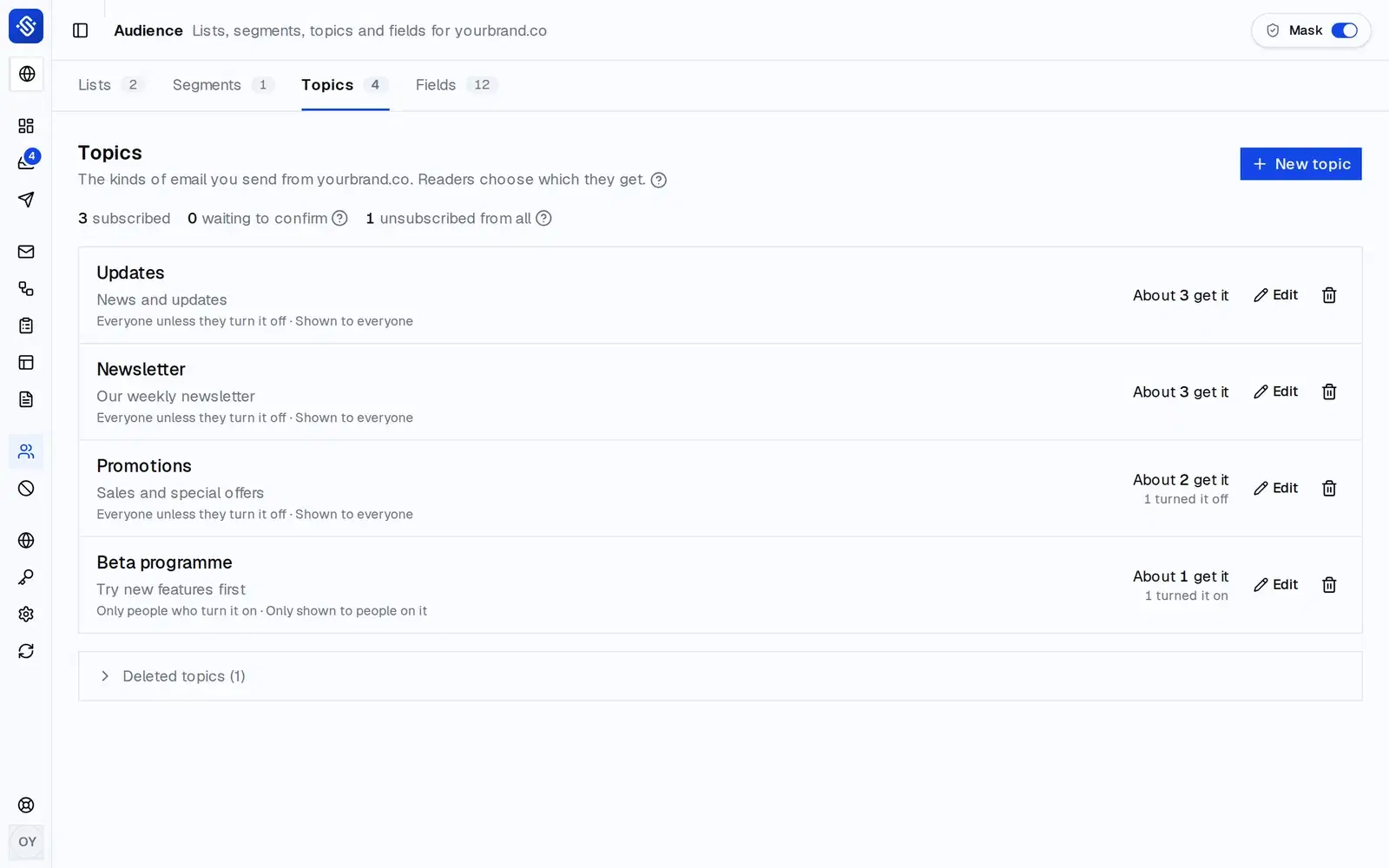
The fundamentals, on by default: authenticated sending with DKIM, SPF, and DMARC, RFC 8058 one-click unsubscribe on campaigns, automatic suppression of hard bounces and complaints, and a dashboard that tracks your bounce and complaint rates against AWS's thresholds so you see trouble early. Sending is paced to your Amazon daily limit, Gradual Send warms up a new domain, every marketing email carries your address and a way out, and readers can turn off one kind of email instead of unsubscribing from everything.
Why Amazon SES? Why not a mail server on a cheap VPS?
Because running a mail server was never the hard part. Reaching the inbox is, and that comes down to IP reputation. Gmail, Outlook, and Yahoo decide where your email lands largely from the sending IP's history, and cheap VPS addresses have been recycled through years of spam. Many sit on blocklists before you send a single email, so a $5 server feels free right up until every campaign lands in spam, unseen. Amazon SES is strict about who gets to send exactly so its IPs stay trusted, which is why your email actually arrives.
Can sendbunny access my AWS account or my data?
No. We never receive your credentials, and nothing in the product phones home with your data. During install and updates, the installer sends one-way progress notifications so your deploy page can show a status bar, and that's it. The install template is six readable CloudFormation resources you can audit before clicking.
What if sendbunny shuts down?
Your platform keeps running as if nothing happened. It lives entirely in your AWS account and never depends on sendbunny's servers to send, show your dashboard, or store your data. The only thing that would stop arriving is updates.
What happens if I stop paying the yearly fee?
Your platform keeps working, forever. The one-time purchase is a lifetime license. You just stop receiving one-click updates until you renew. Renewing later picks up right where you left off.
What if an update fails halfway?
Nothing breaks. Updates deploy the backend first and swap the dashboard last, so if any earlier step fails, your current version stays live and campaigns that are mid-send keep sending.
Is my data locked in?
It's the opposite of locked in: everything lives in DynamoDB tables and S3 buckets in your own AWS account. Export it with standard AWS tools whenever you like, or delete the whole stack and it's gone. We couldn't hold your data hostage if we wanted to.
Your email platform is one click away.
Ten minutes from now it can be running in your AWS account: sending for pennies, scaling on its own, and answering to nobody but you.

 The email platform you own